
Microsoft Teams integration
Microsoft Teams Live Chat
Connect SignalZen to Microsoft Teams and reply to website visitors and support emails directly in the Teams threads your team already uses. Setup in under 5 minutes — no extra inbox.
Email in Teams
Email integration for unifying customer support queries
Emails from your Customer Support mailbox reach your Microsoft Teams workspace, just like conversations from the live chat widget. Transform casual support channels into a single stream without switching platforms.

Copilot (AI chatbot)
Support continues even when your agents are offline
Scan your website knowledge base, enable the Copilot chatbot and let automated workflows do the rest. Your visitors keep getting answers, and your team picks up from Teams whenever it matters.
Features
Live chat support inside Microsoft Teams threads
Turn any Teams channel into a shared support inbox. Reply to website visitors and support emails directly from the Teams threads your team already uses.
New chat session notification
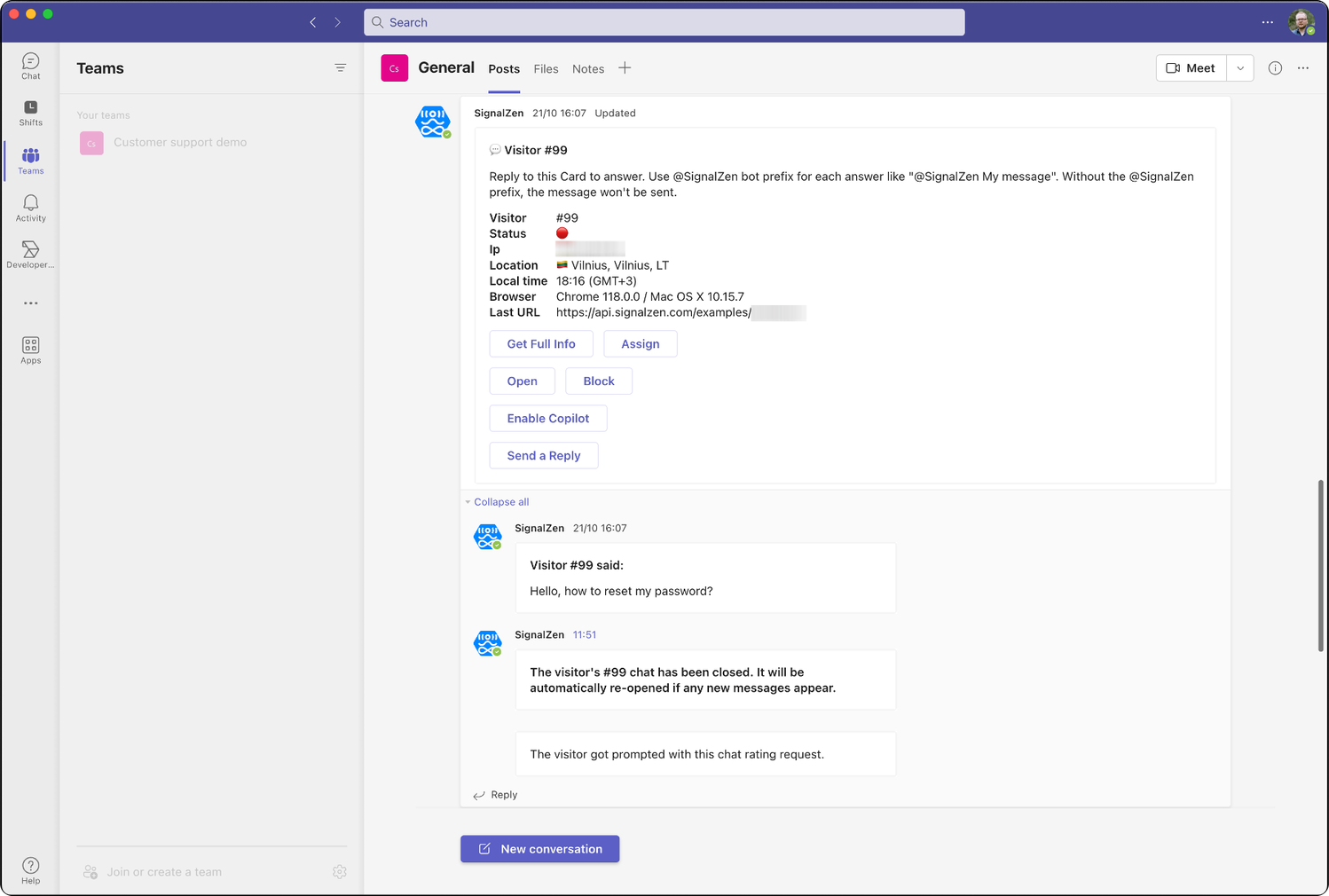
Get notifications in your chosen Team about incoming real-time conversations. Conversations can come from your website or Customer support mailbox, and your team members can answer directly from Microsoft Teams.
Teammates can join automatically
Invite your teammates to your Customer Support Team. We create their profiles and avatars in SignalZen automatically after the first interaction, so they can collaborate on the same channel where notifications arrive.
Use powerful MS Teams interactivity
Adaptive cards supported by our Microsoft Teams app add interactivity for controlling the live chat flow. Use interactive buttons and modals to speed up your work with prospects.
Change widget visibility and online status
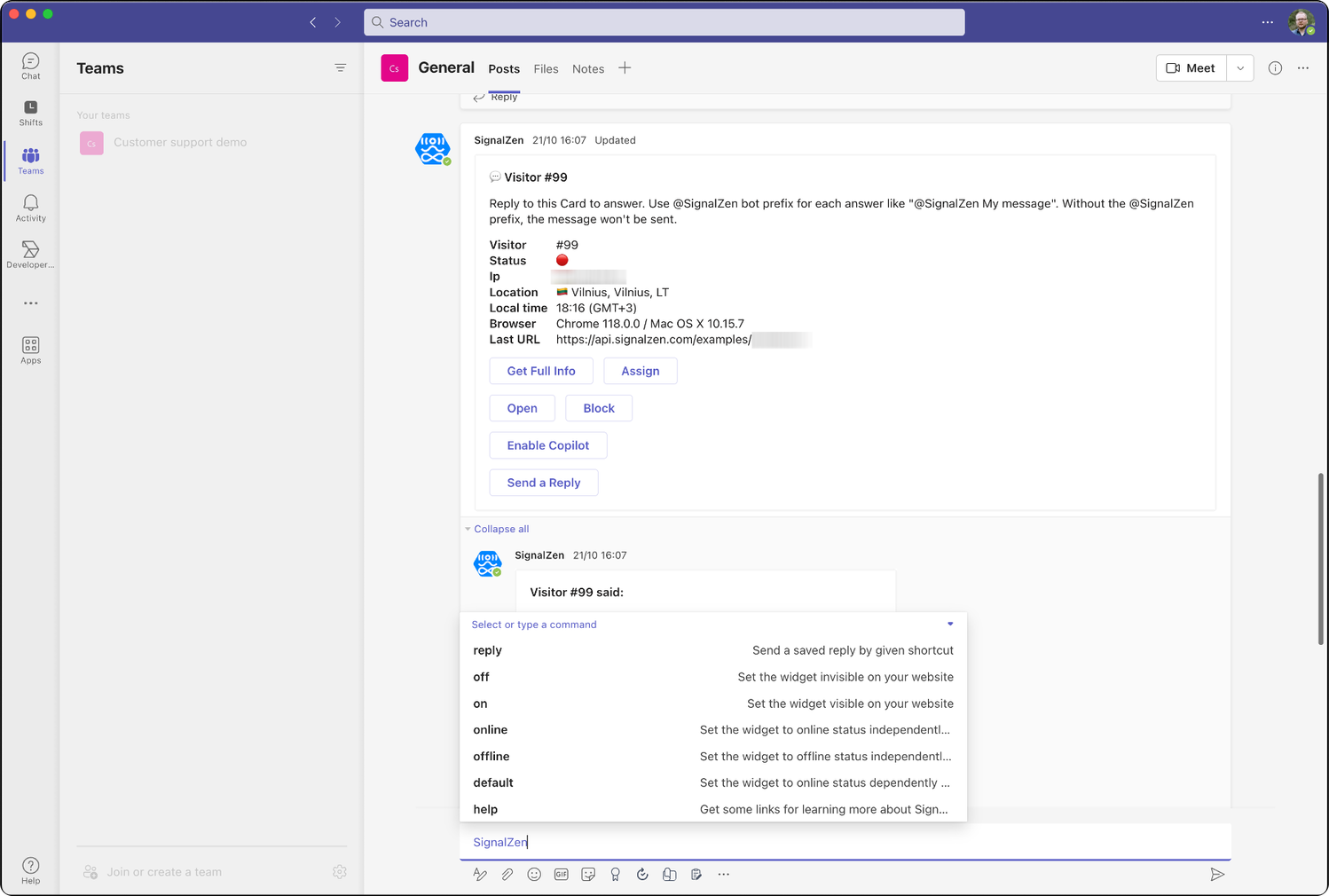
Departing for a weekend break or holiday? Turn the widget off with an MS Teams command, and leverage the online and offline status force options.
Audit chats by closing or opening
Keeping discipline in closing chats gives benefits. Once you close a chat, your visitor or email sender receives a request to rate your service — and you configure the rating screens yourself.
Auto reminders
Get reminder notifications about conversations that need attention directly in your Microsoft Teams channel. Closed conversations trigger reminders once visitors re-open them.
Hide Customer support work in private teams
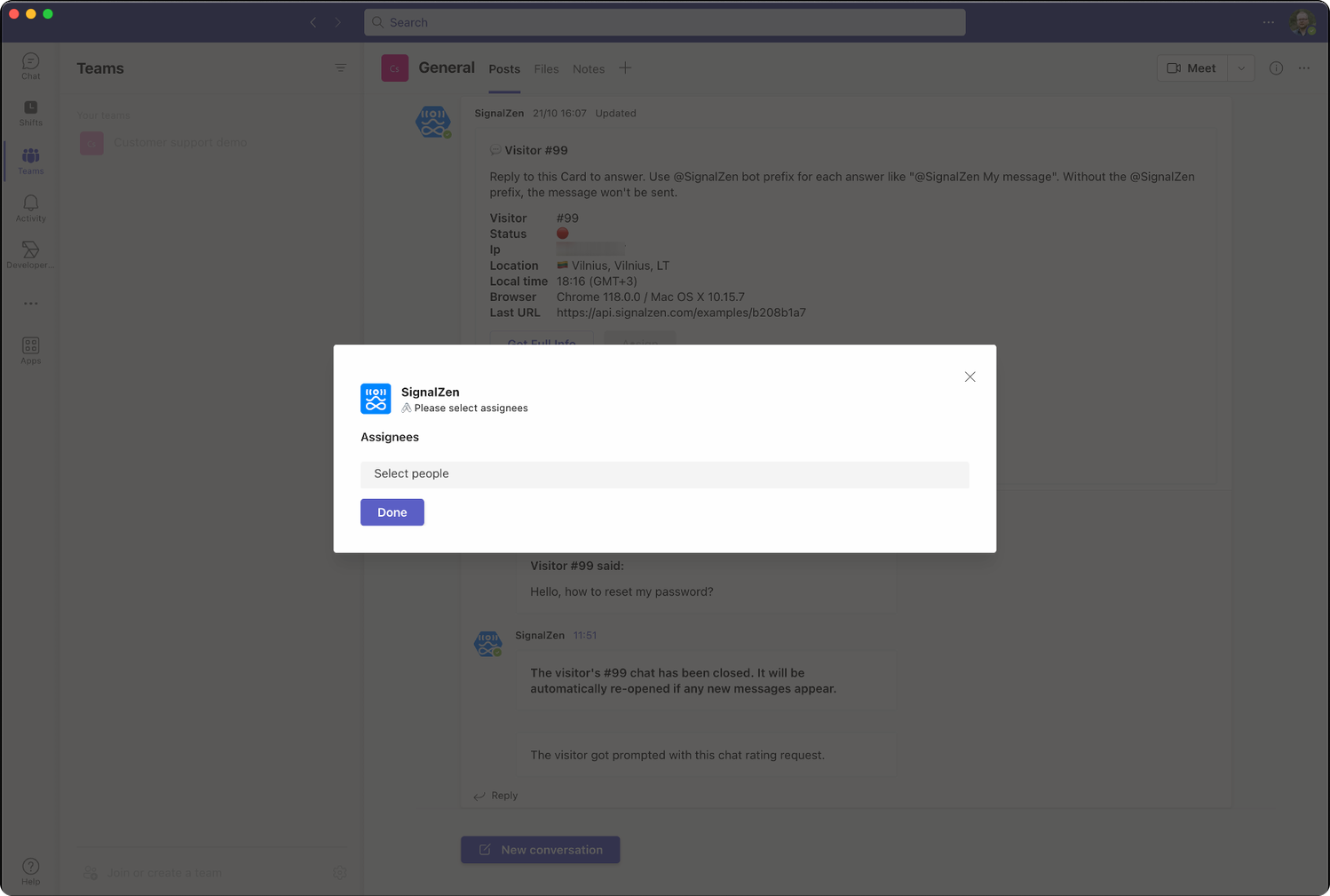
Keep your chats and notifications channel isolated from the rest of the company. Use private Teams for the integration and assign colleagues to chats using the interactive Assign button.
Route your chats across different teams
Do you have departments in your business? Target conversations across multiple Teams. Your prerequisite live chat form helps route each conversation to the right Microsoft Teams channel.
See all information about your website visitors
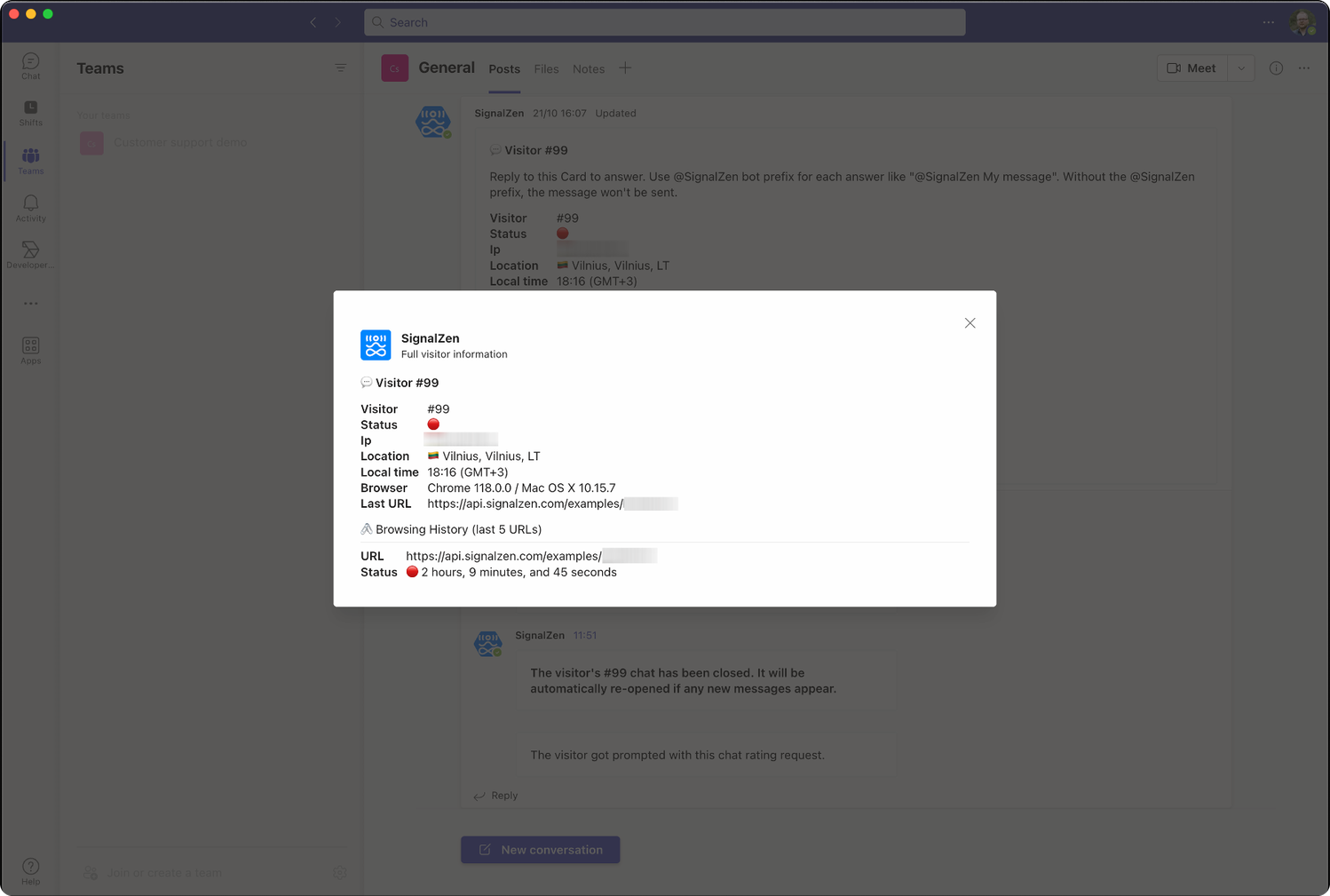
Location, timezone, ID and more appear in MS Teams for every visitor. Expand the dataset with the Prerequisites Form Builder or send additional data via the JavaScript API.
Use saved replies
Tired of typing the same replies? Saved Replies configured in Console and integrated with Teams let you use message shortcuts directly through an MS Teams command.
Microsoft Teams commands
Leverage the SignalZen bot command line interface from Microsoft Teams and omit the UI entirely when working with your prospects or clients.
Use Console for audit and chat history
Console keeps the full history of your chats, helps you audit conversations, configure the support experience, evaluate metrics and create data exports.
Have a look
See it in action
These screenshots illustrate some of the capabilities that Microsoft Teams live chat and email integrations have.
Use cases
How small teams run support from Microsoft Teams
Teams is already where your colleagues talk. These are the everyday situations where answering customers in the same Teams thread removes an extra tool.
Pre-sales questions on pricing pages
A visitor asks about a plan while browsing. The chat lands in your Teams channel as an adaptive card, and whoever is free replies without opening another tool.
Shared support mailbox, one thread
Support emails arrive in the same Teams channel as live chats, so nothing sits unread in a mailbox only one person watches.
Handing a conversation to the right colleague
Assign a chat to a teammate straight from the card. They pick it up with the full history, no copy-paste summary needed.
Out-of-hours coverage
AI Copilot answers from your website content overnight and leaves the transcript in Teams for the morning shift.
Repetitive product questions
Saved replies and slash commands let agents answer shipping, billing or setup questions in a couple of keystrokes.
Keeping a record for audits
Every conversation is stored in Console with metrics and exports, while the day-to-day work stays inside Microsoft Teams.
Start your Live Chat from Microsoft Teams journey
No commitments to start and a trial period of 30 days.