
Slack integration
Customer Support, straight from Slack
Your website live chat and support mailbox arrive in Slack. Reply in threads or dedicated channels, assign colleagues and keep one platform for internal and external communication.
Email in Slack
Slack Email integration
We provide you with the essential Slack Email integration for Customer Support. Receive emails from your Customer Support mailbox and answer those directly from Slack.


AI Copilot
Slack AI Copilot integration
Use AI Copilot in Slack Live Chat to communicate with website visitors when your team is offline, always, or as needed. The chatbot we create for you will be able to answer even hard questions given by your website visitors.
Features
Strong features for your daily Customer Support work
Perform all Customer Support activities by using Slack.
New chat session notification
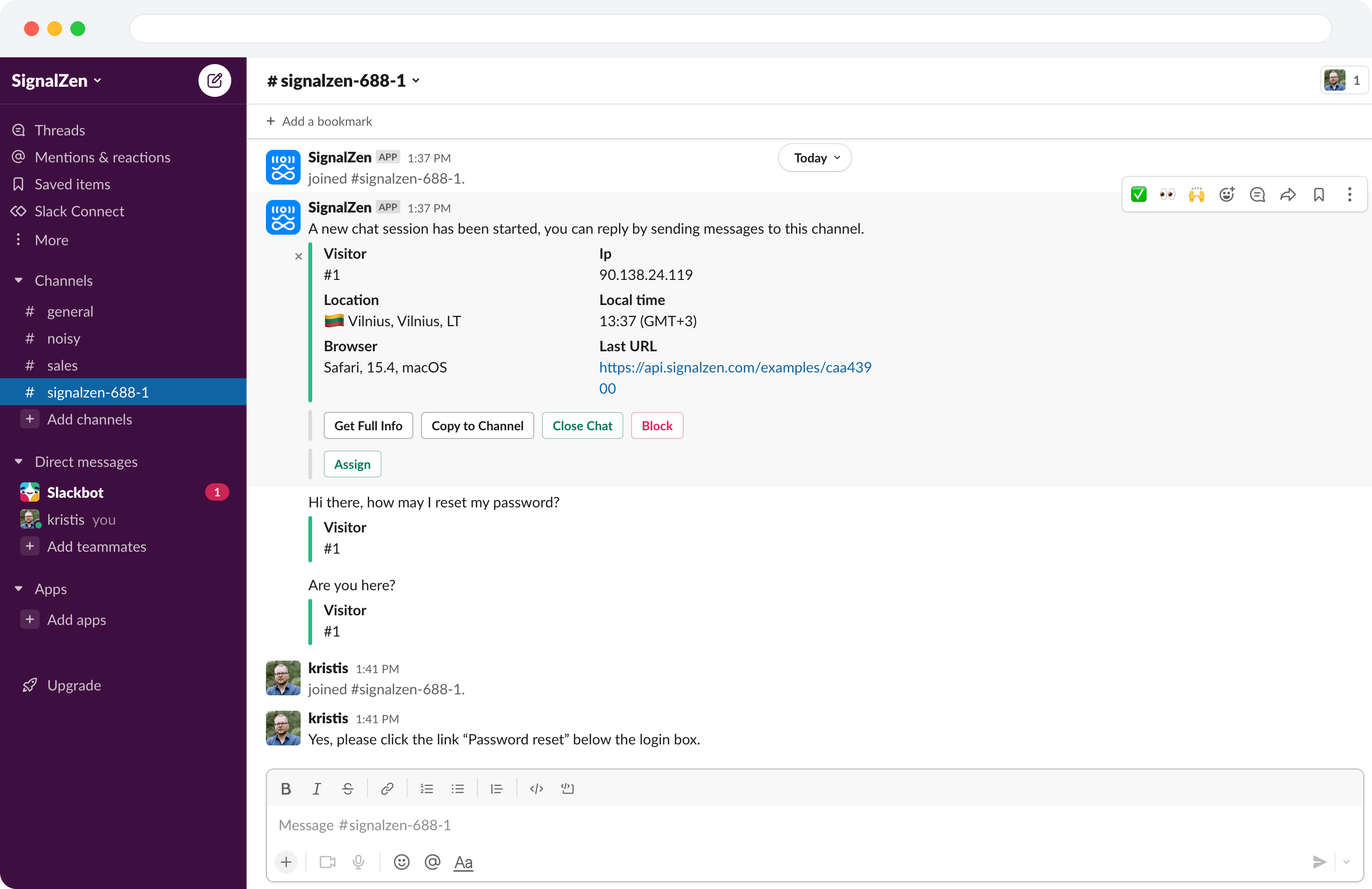
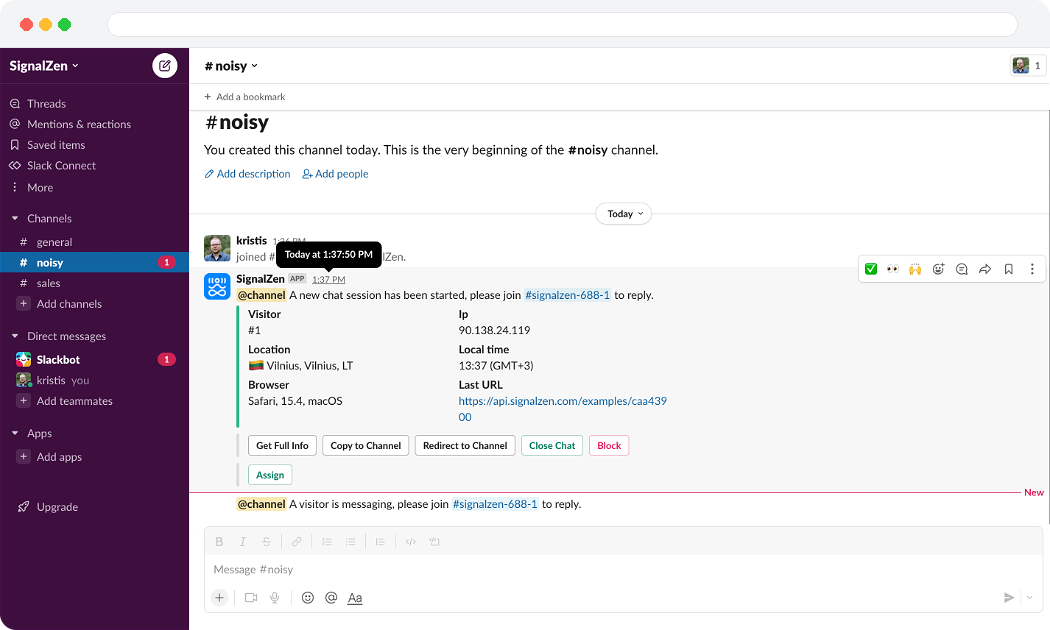
Get a loud notification in your chosen channel once someone tries to reach you for help.
Chatting via threads or dedicated channels
Choose the most suited for you Slack integration type to reply to visitors on your website straight from Slack.
Your teammates can join automatically
When a teammate sends a message to your website visitor on Slack, SignalZen adds him as an operator. We also fetch and add the Slack profile pictures for operators that the live chat widget will display.
Use Slack for fast interactive communication
Enjoy all capabilities that Slack can offer — interactive buttons and modals for more effective and prompt work with your website visitors.
Manually change widget visibility and online status
Enable your team to control your live chat widget status when you take a break. Switching between statuses is available directly from Slack or Console.
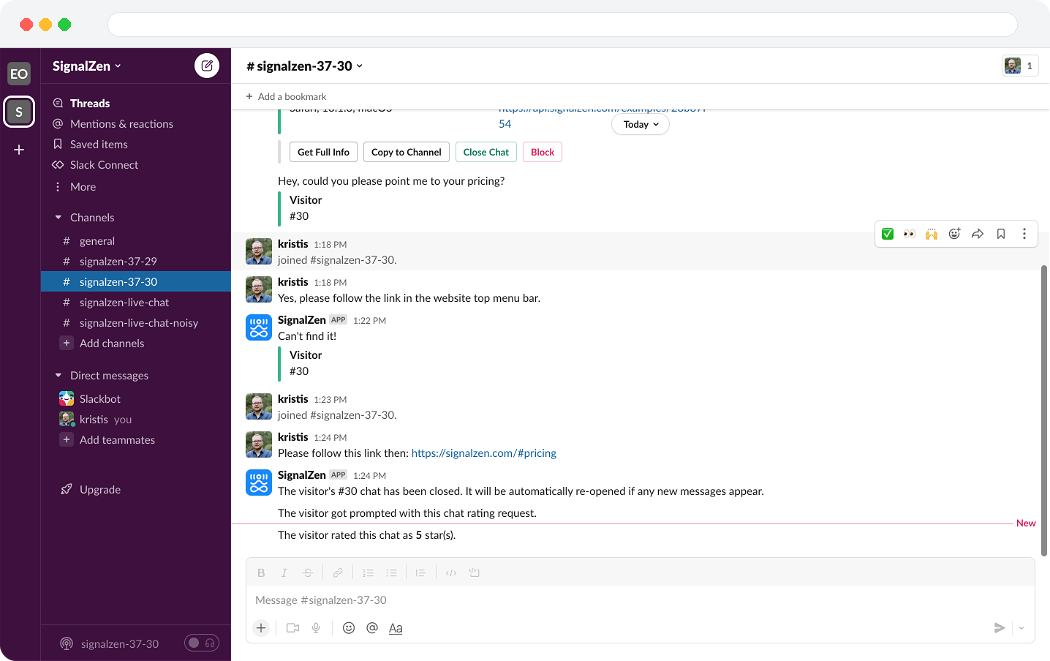
Audit chats by closing or opening them
Keep discipline in closing your chats and you will be able to audit your Live Chat data directly from Slack. The closing chats feature is also great for requesting a rating review from your website visitor.
Auto Reminders
Get reminders to participate in a chat that is awaiting your reply via Slack. Also, you can enable or disable notifications about your existing chat visitors' online/offline status.
Choose to hide Customer Support work in private channels
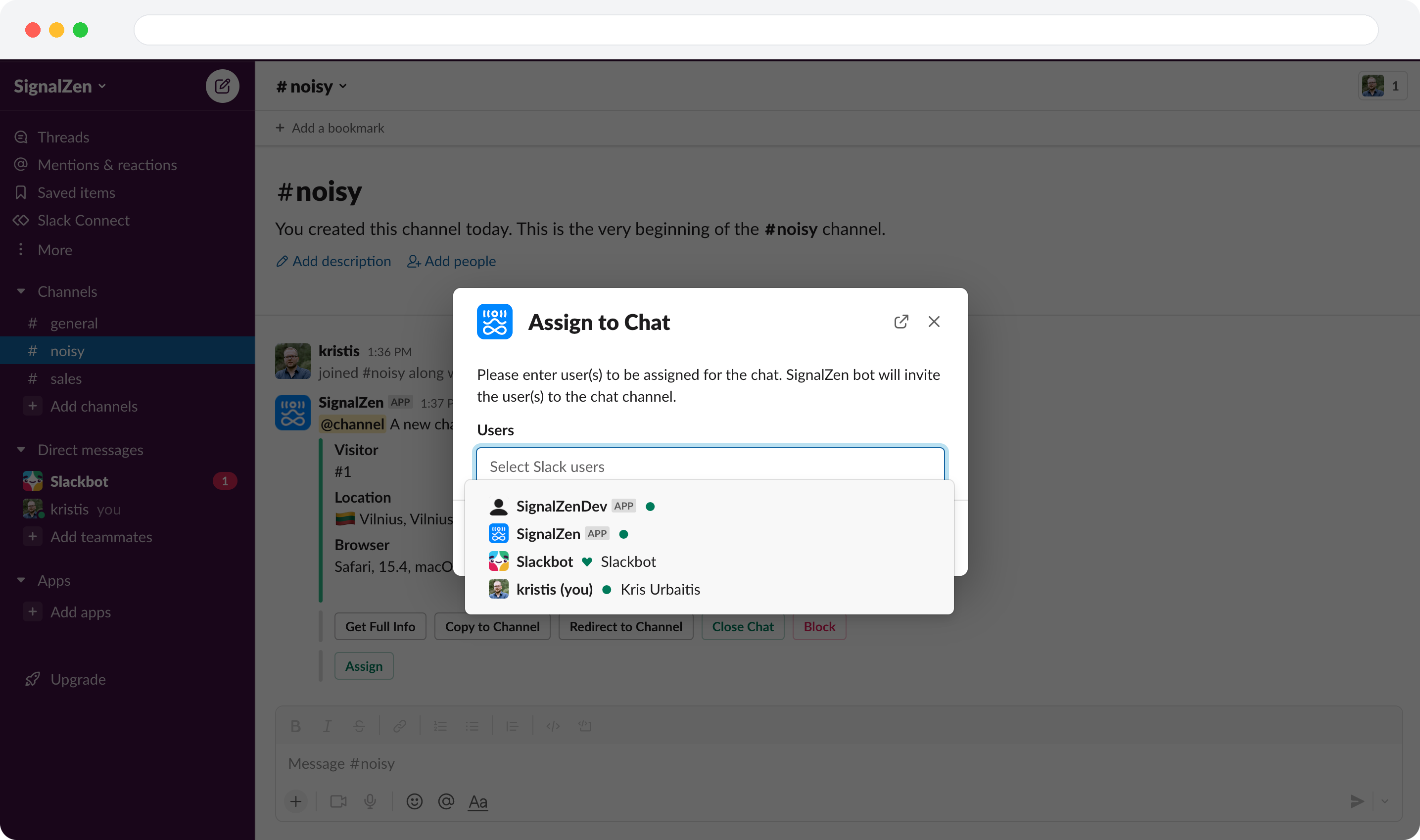
Keep your chats and notifications channel isolated from the rest of the team. Use private integration channels for chat sessions and assign colleagues by using the interactive Assign button.
Search for chats
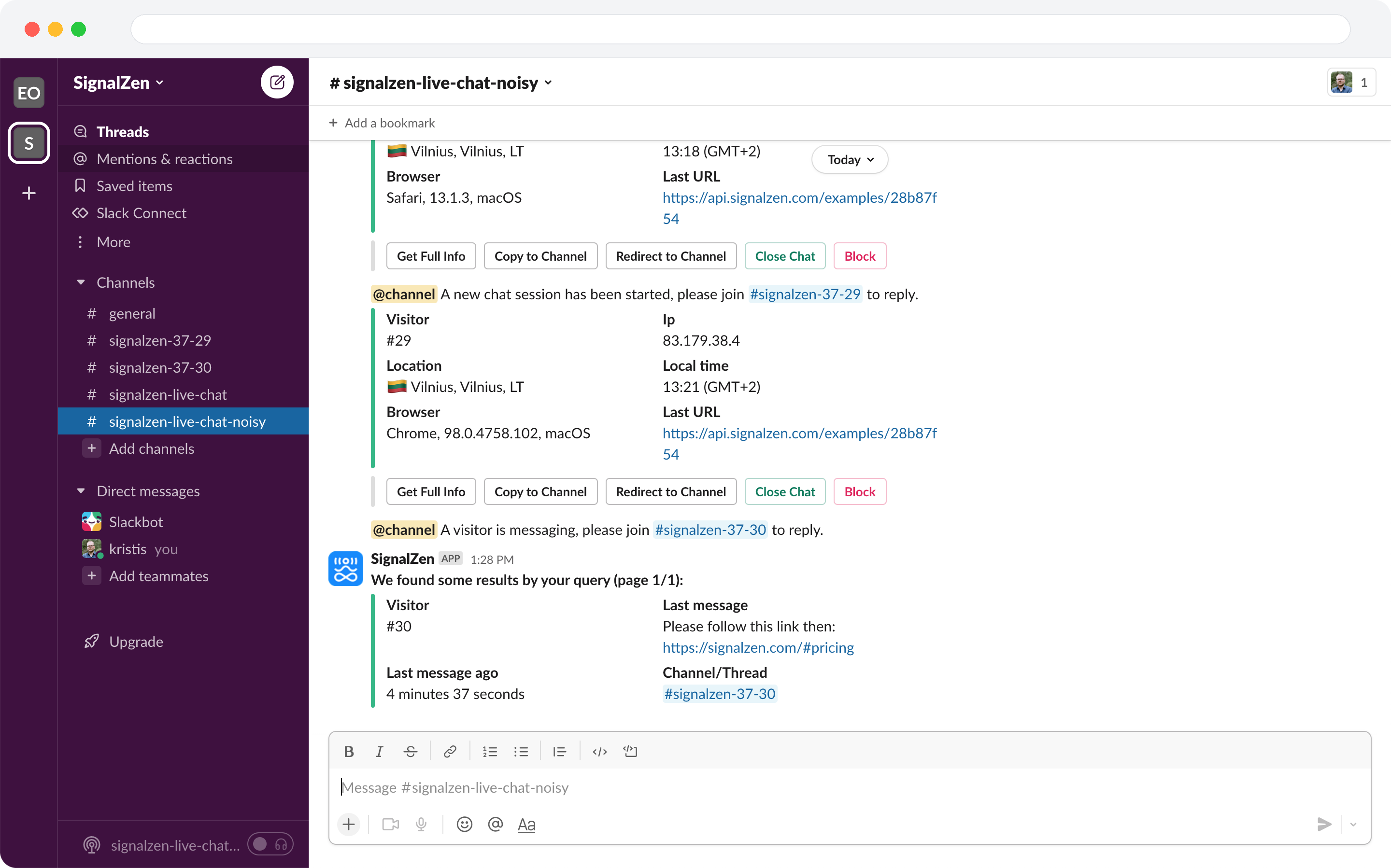
Use the search feature directly from Slack to find threads or channel links that match your query criteria.
See all information about your website visitor
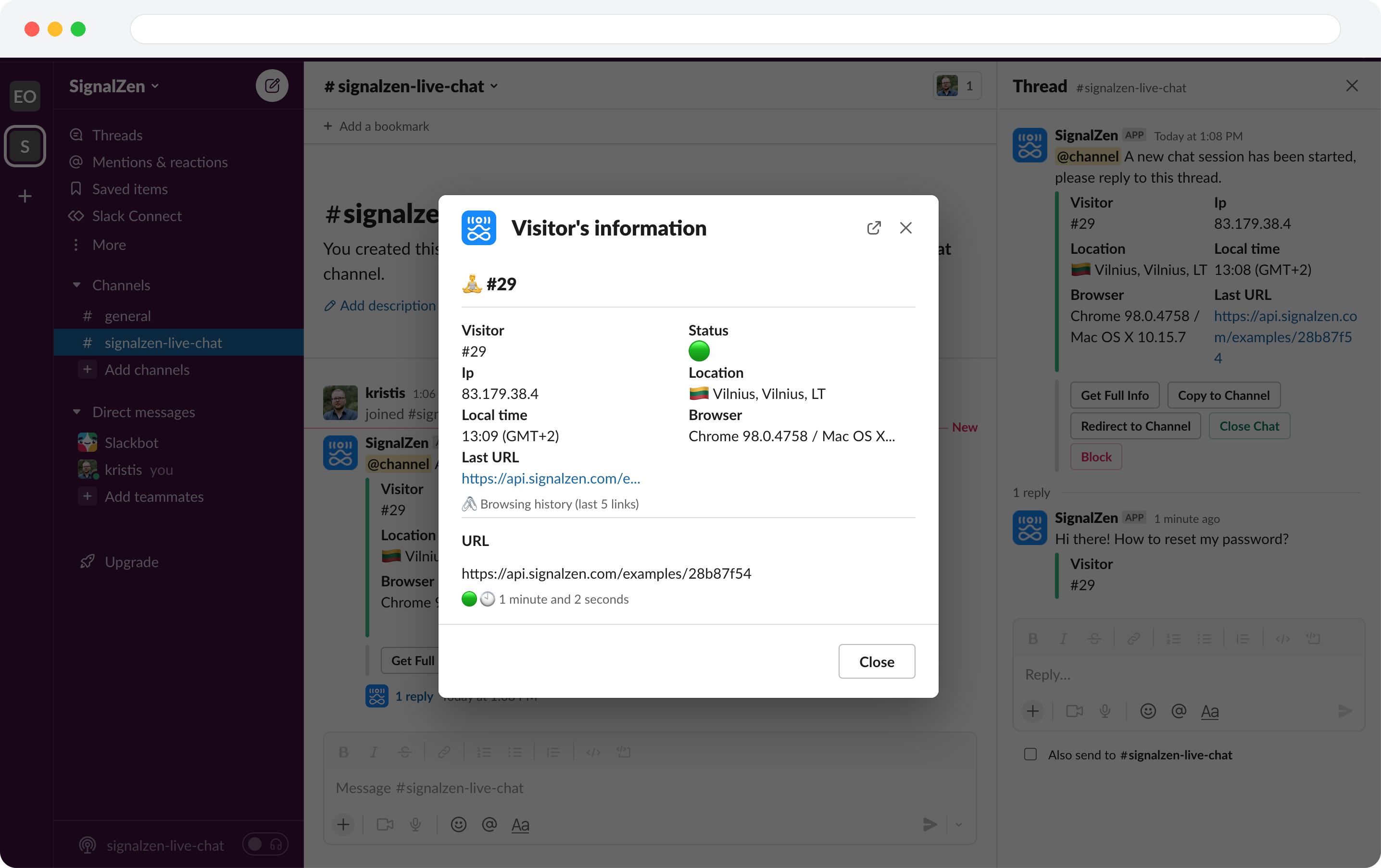
When visitors chat with you on your website, Slack will show certain information like their location, timezone, and ID. You can also add more information using the Prerequisites Form Builder or Metadata from your website.
Use Saved Replies
Tired of using the same responses in different chats? You can configure Saved Replies in Console and dispatch them to your Slack conversation utilizing a Slack command.
Slack Commands
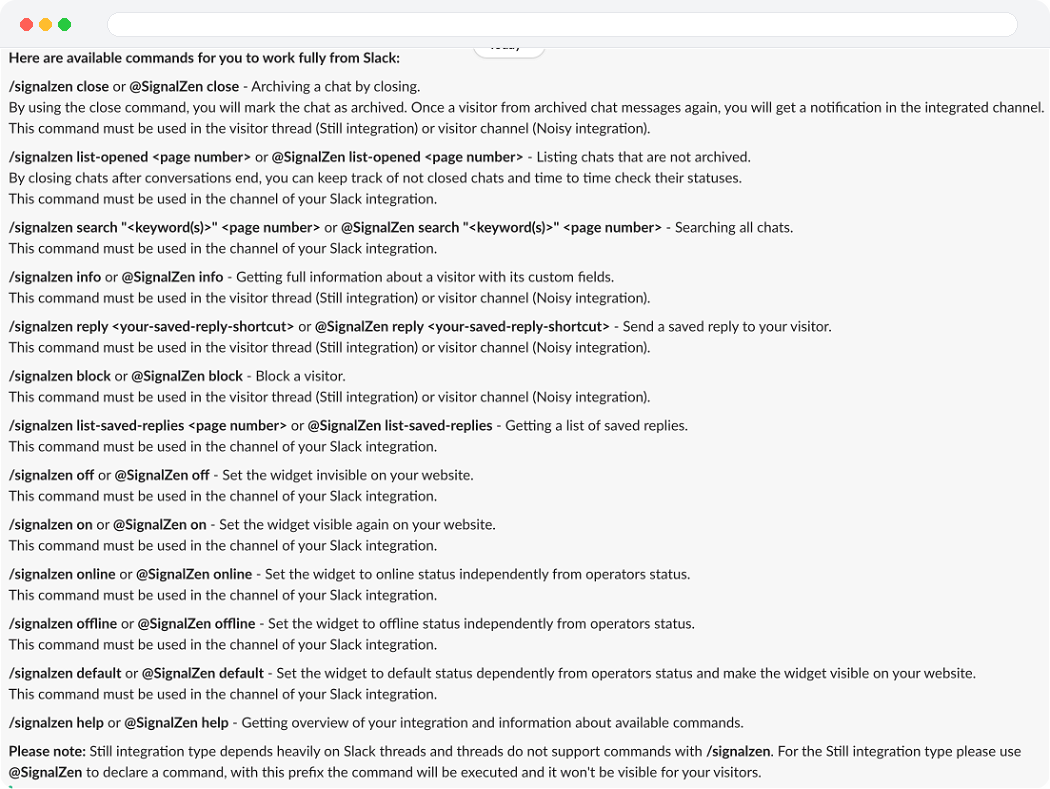
By leveraging the SignalZen Slack command line interface from Slack, you can omit the UI for working with your website visitors.
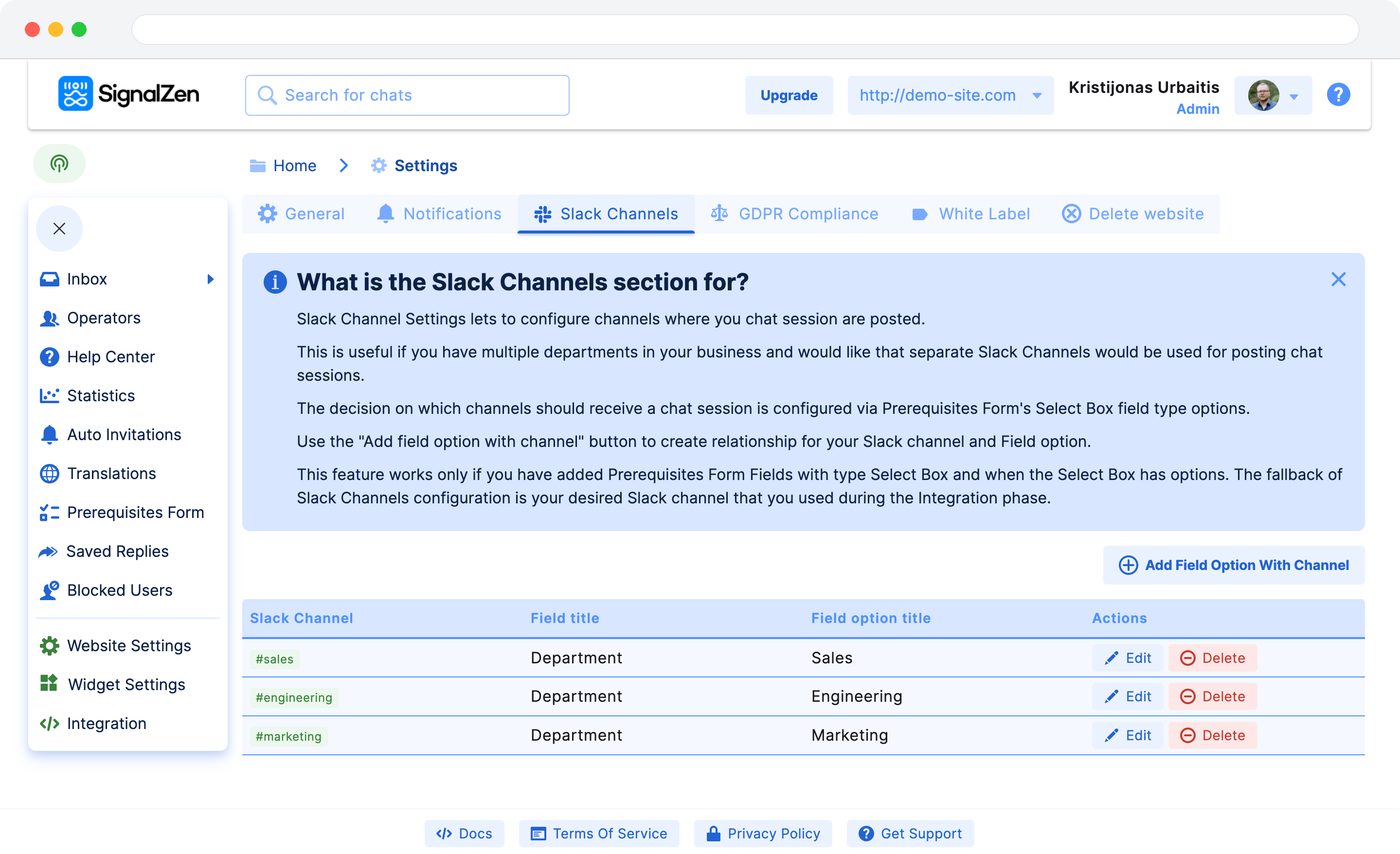
Route your chats across different Slack Channels
Do you have departments in your business and want to target your chat sessions across multiple Slack Channels? We have configuration options that allow you to do that.
Ad-hoc chat sessions redirecting and copying
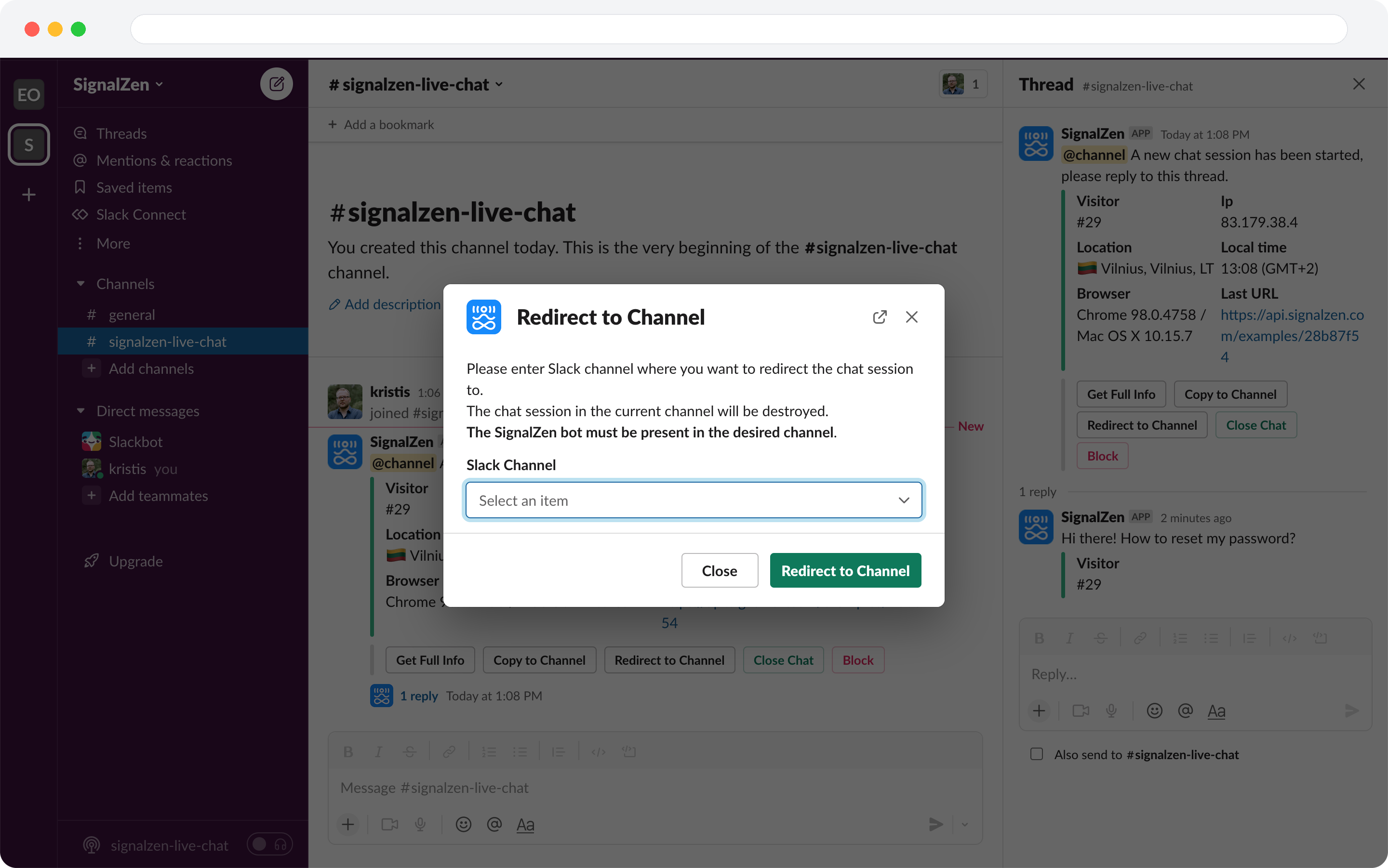
Route your chats flexibly on an ad-hoc basis into different Slack Channels. Using copy (duplicate) or redirect (copy with delete) buttons, you can ask your colleagues help in different channels.
Have a look
See it in action
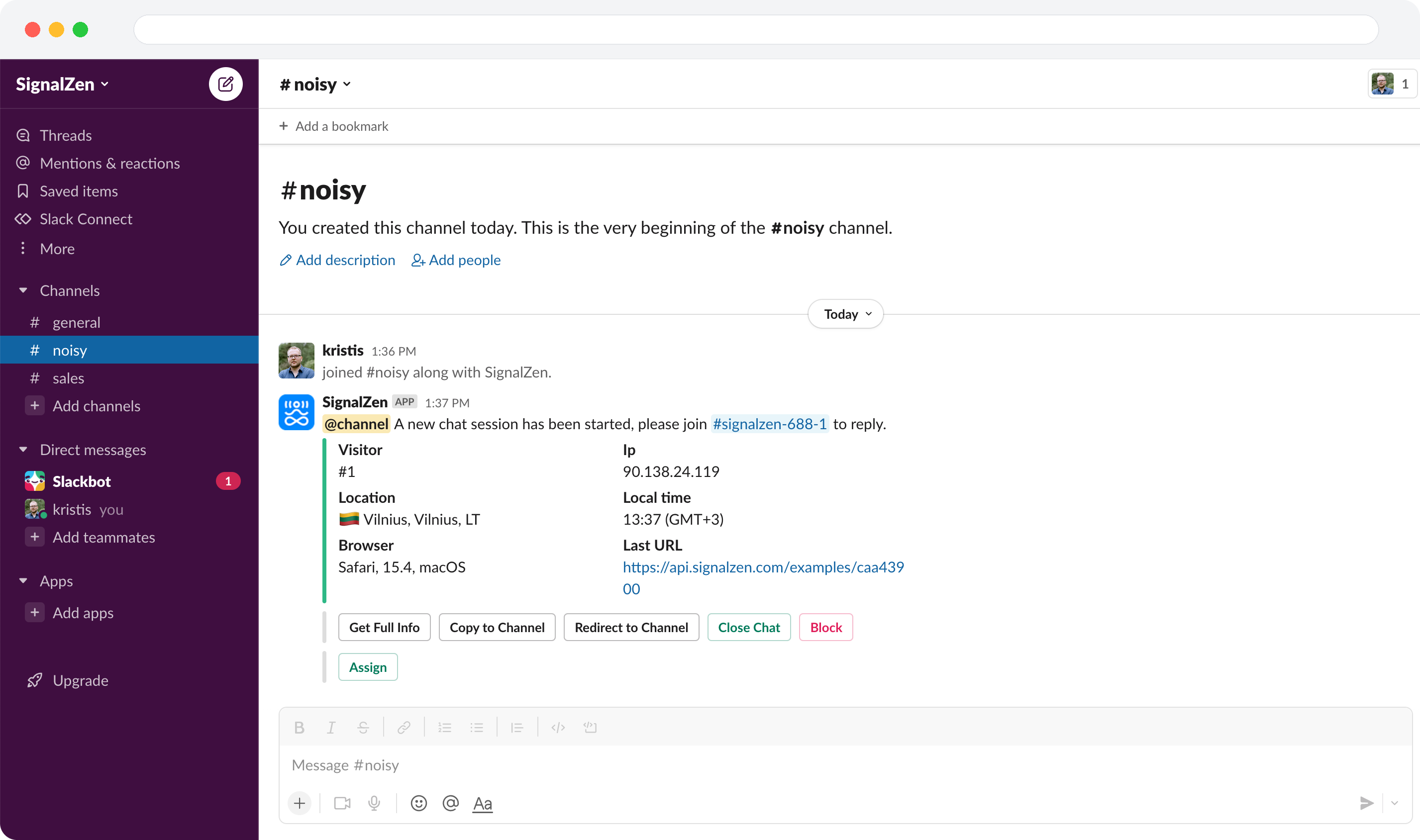
These screenshots illustrate some of the capabilities that Slack live chat and email integrations have.
Start your Customer Support from Slack journey
Start without any obligations and enjoy a 30-day trial period.