

The usual advice to search for an available domain and pay a registrar doesn't explain how to get an EDU domain. An available name isn't enough. The applicant's institutional status, accreditation, and proposed name all matter before registration can proceed.
The useful starting point is to treat .edu as a regulated institutional credential, not an ordinary domain purchase. For admissions, communications, and IT teams, that changes the project: confirm eligibility, prepare consistent records, submit through EDUCAUSE, and keep the public launch separate from the application date.
Table of Contents
- Check If Your Institution Qualifies for an EDU Domain
- Documents and Details to Gather First
- Choose a Name the Review Will Accept
- How to Submit Your EDUCAUSE Application
- Plan Around the Four-to-Six-Week Review
- Set Up DNS, Fees and Renewals After Approval
Check If Your Institution Qualifies for an EDU Domain
An .edu domain is not a credential an organization can claim because it teaches, serves students, or works with universities. The applicant itself must meet the rules. Under EDUCAUSE's eligibility rules, qualifying applicants include fully institutionally accredited postsecondary institutions based in the United States, its territories, or possessions. Accreditation must come from an agency recognized by the U.S. Department of Education. A qualifying nonprofit association must have at least 75% of its institutional members independently eligible to register.
Institutional accreditation is the point that often causes confusion. Accreditation for a nursing program, business school, course, or branch does not establish eligibility for the institution as a whole. Preliminary or provisional status does not replace full institutional accreditation.
Who can apply for a .edu domain
| Applicant case | Eligible? | What must be true |
|---|---|---|
| Postsecondary institution in the U.S., territories or possessions, fully accredited | Yes | Accreditation covers the institution as a whole and comes from an agency recognized by the U.S. Department of Education |
| Institution with only program-level or branch accreditation | No | Accreditation must apply to the institution, not merely a program, branch, or course |
| Institution with provisional or preliminary accreditation | No | Full institutional accreditation is required |
| Eligible system or district office | Possibly | Must meet the applicable institutional and geographic requirements |
| Nonprofit association | Conditional | Must meet the institutional-member eligibility threshold stated above |
| Software company, edtech vendor, or business serving universities | No | Serving education doesn't create eligibility |
| Institution based outside the U.S., its territories or possessions | No | Geographic requirement isn't met |
A professional-looking website, an educational mission, or a university customer list cannot change an applicant's status. An edtech company may provide campus software and still be ineligible to register its own .edu domain. A training provider should not assume that offering certificates makes it an eligible postsecondary institution.
Eligibility first: The applicant must qualify in its own right. Its audience, customers, and partners can't supply the missing credential.
For a business seeking a conventional domain instead, securing your business's digital storefront is a separate route from an institutional .edu application. Choosing business software is also separate from eligibility: using education-focused software does not grant domain-registration rights. For example, reviewing SignalZen's customer support platform is a technology decision, not evidence that an institution meets EDUCAUSE's requirements.
Start by checking the accrediting agency's public record, rather than searching for a domain name. The institution's authorized representative should confirm that the record covers the whole institution and clarify any uncertainty about its status before an application is prepared. Many organizations worldwide will not meet the requirements, so this early check can prevent time being spent on an application the applicant cannot qualify for.
Documents and Details to Gather First
A useful application folder contains evidence and decisions, not just a preferred name. Admissions staff may know the institution's public identity, while legal, finance, and IT staff hold the records needed to support the request.
The following checklist is an internal preparation tool, not a claim that every item is a mandatory application attachment:
- Official accreditation record. Save the current public record, the accrediting agency's name, and the date staff last checked it. This helps the authorized contact distinguish current institutional status from an old letter or program-specific certificate.
- Legal institutional identity. Record the legal name and address exactly as they appear in official and accreditation records. Staff should investigate discrepancies rather than choose whichever version looks most familiar.
- Authorized contact. Identify the person permitted to approve the request and record that person's institutional email address. A named decision-maker prevents a contractor or departing employee from becoming the only person who understands the application.
- Ranked domain candidates. Prepare preferred names and a short explanation of their relationship to the institution. Alternatives should remain internal unless the application or reviewer requests them.
- Renewal and access owner. Name the staff member responsible for registration administration, billing coordination, and credential custody. Responsibility should survive a website redesign or departmental staffing change.
Separate the legal institution from its departments
Say a university renames its continuing education department. The application should still identify the legal university, rather than substituting the department's new marketing name.
A departmental candidate, if considered at all, needs a clear institutional justification and careful scrutiny. A department's internal approval doesn't establish that its preferred name represents the registrant appropriately.
Create a shared, access-controlled application folder containing the records, proposed names, authorization, and ownership notes. Before submission, the authorized contact should approve the final details together, rather than reviewing separate versions scattered across email threads.
Choose a Name the Review Will Accept
The most memorable name isn't necessarily the strongest application. A broad educational phrase might suit a campaign, but the registration request needs a defensible connection to the institution that will hold it.
Institutional fit comes before marketing appeal. An official name or recognizable institutional abbreviation generally provides a clearer explanation than a slogan, subject area, or aspirational phrase.

Test the relationship behind the name
The application team should evaluate each candidate against the naming restrictions:
- Represents the registrant. Staff should be able to explain the connection to the institution's official identity without a lengthy branding argument.
- Isn't generic. A broad word describing education or a type of school doesn't identify the particular institution.
- Doesn't identify another organization. Review other institutions, affiliated entities, and partner brands before treating a name as suitable.
- Stays with the eligible registrant. Don't select a name on the assumption that it can later be sold or handed to a different entity.
The subunit trap deserves particular attention. A program may have a distinctive public identity, but the institution remains the applicant. A name that primarily identifies a separate unit or partner creates a harder question about whom the domain represents.
For example, an institution's recognizable official abbreviation offers a more direct institutional connection than a name describing every applicant's dream career. The latter might work as campaign copy without working as a registration candidate.
A concise explanation of the institutional connection is more useful than an enthusiastic explanation of the branding.
Rank candidates by policy fit before comparing spelling, pronunciation, and consistency with existing email identities. Keep a fallback tied to the same institution, but don't assume availability means acceptance.
If no candidate meets the naming tests, staff should revise the request before submitting it. An attractive name isn't a reason to ask the reviewer to overlook an institutional mismatch.
How to Submit Your EDUCAUSE Application
Submission should be an institutional action, not an isolated task assigned to whoever manages the website. The authorized contact, technical administrator, and payment owner should agree on the details before the request leaves the institution.
The process below separates preparation from the actual registration workflow. Staff should follow the current application's prompts rather than assume that an internal checklist mirrors every screen.
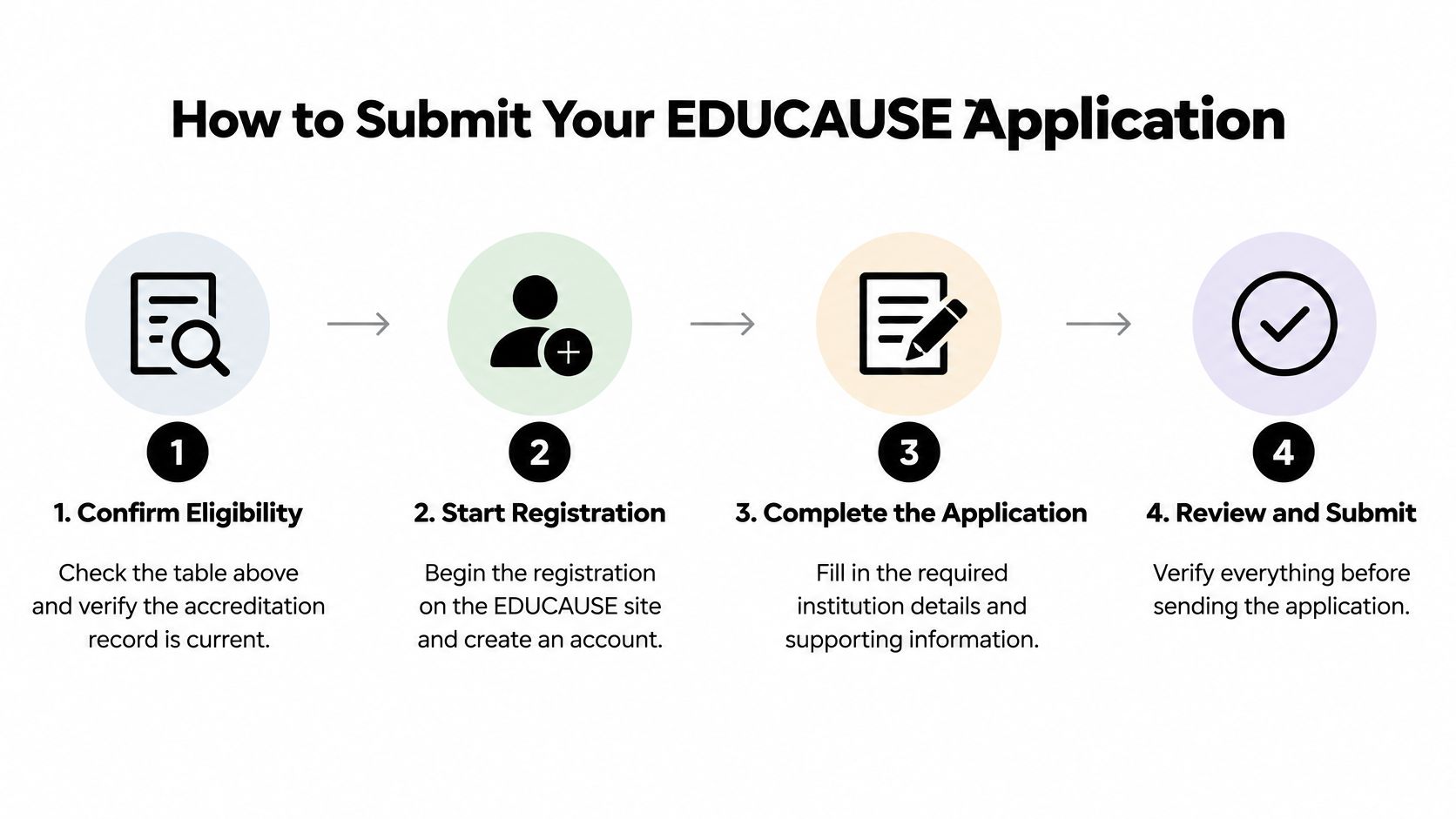
Submit a consistent institutional request
Confirm eligibility and the accreditation record. The authorized contact should resolve questions about institutional status before opening the request. A program-level accreditation letter shouldn't be substituted for evidence covering the institution.
Begin registration through EDUCAUSE. Create or use an institution-controlled account according to the current workflow. Personal credentials held only by an outside designer create an avoidable administrative dependency.
Enter the institution's details consistently. Copy the approved legal name, address, and contact information from the preparation folder. A shortened brand name shouldn't replace the legal institution just because it fits the website header.
Provide the requested name and its institutional connection. Use the candidate that passed the internal naming review, with supporting explanation wherever requested. Keep the fallback ready for correspondence rather than assuming the form provides an alternate-name field.
Review and accept the Customer Service Agreement. An authorized institutional representative should understand the agreement before accepting it. The common mistake is treating the terms as a routine website checkbox with no ongoing administrative implications.
Complete the payment instructions presented during registration. Coordinate with the institution's payment owner and retain the transaction record. Staff shouldn't assume that arranging payment guarantees acceptance of the institution or requested name.
Submit and preserve the confirmation. Save the submission date, application reference, and a copy of the submitted details. The team then has a reliable record for answering questions instead of reconstructing the request from memory.
Check the submission package
A complete internal handoff includes matching institutional records, an approved candidate, a prepared fallback, and a saved confirmation. It should also identify who monitors the contact mailbox and who can respond to a request for clarification.
The submission date belongs in the project tracker, but it isn't a launch commitment. Communications staff should receive an application-status update, not an announcement that the new address is ready for publication.
Plan Around the Four-to-Six-Week Review
According to EDUCAUSE's policy rules and procedures, applications are reviewed in the order received and may take four to six weeks or longer, depending on application volume. That's a planning window, not a guaranteed completion date.
EDUCAUSE evaluates the institution, the requested name, and the application information separately. A successful availability search therefore shouldn't trigger printed prospectuses, new email signatures, or a public rebrand.
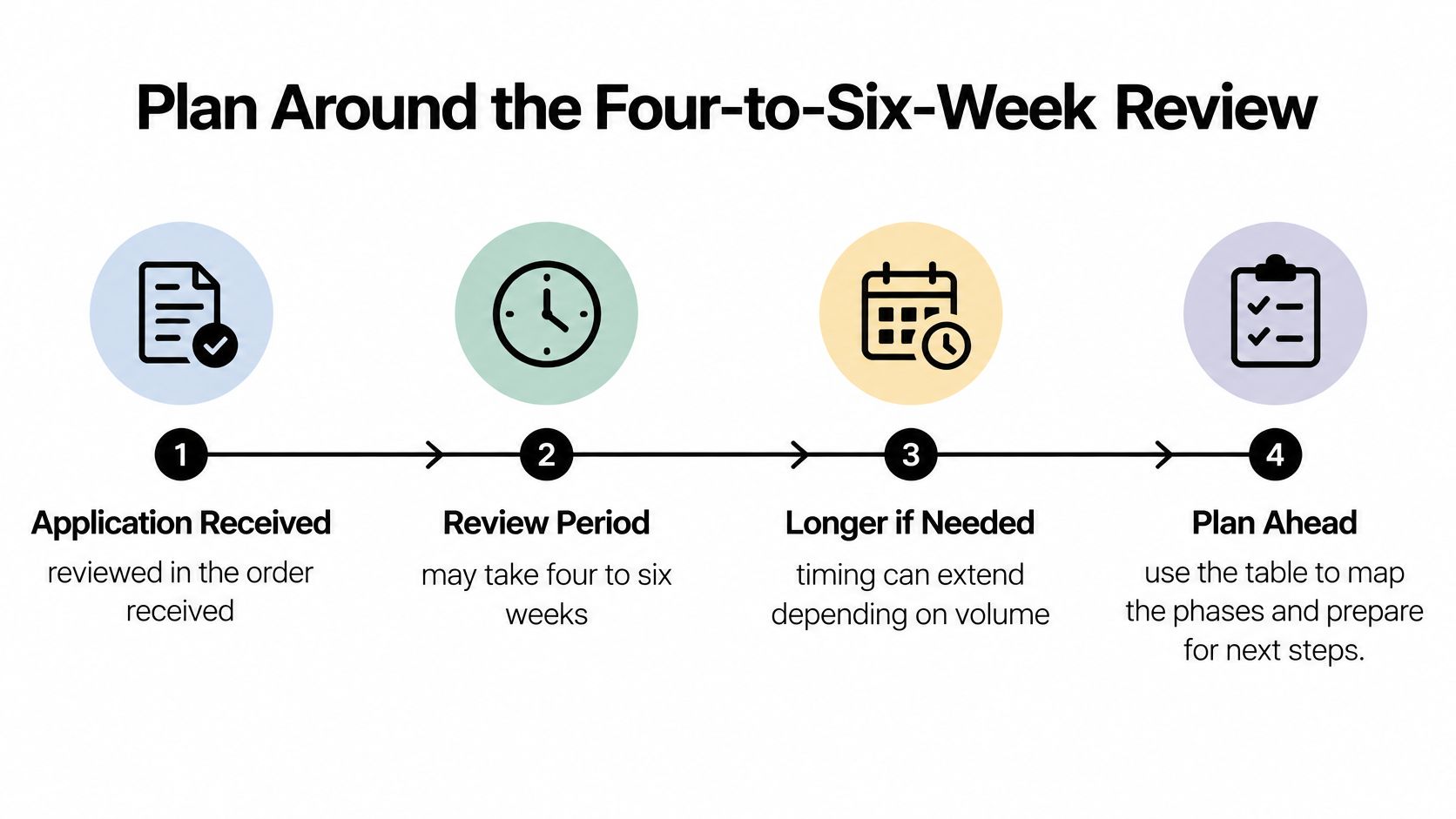
| Phase | Institutional action | Launch dependency |
|---|---|---|
| Application received | Save confirmation and assign a correspondence owner | Keep the existing public identity operational |
| Review underway | Monitor messages and prepare answers | Draft communications without publishing the new address |
| Clarification requested | Coordinate accurate supporting information | Revise the project schedule if needed |
| Approval and activation | Begin the technical handoff | Release public changes only after testing |
Questions that affect the schedule
Should branding wait? Branding development can continue, but a launch that depends on the requested address should wait for approval and technical readiness. Draft designs should remain easy to revise.
What if the accreditation record is outdated? Staff should pursue a correction with the responsible records owner early. Supporting documentation should explain the discrepancy clearly rather than leave the reviewer to reconcile conflicting identities.
Can a marketplace provide a shortcut? No. Transfer to another entity is prohibited, so a resale listing isn't a substitute for an eligible institutional application.
Does registration establish ownership? No. Registration grants use for the selected term, rather than ownership rights in the name.
Launch safeguard: A communications deadline shouldn't become a reason to publish an unapproved domain.
For a merger or rebrand, the team should confirm the applicable domain-allocation rules directly before building a plan around an additional registration. Assign a correspondence owner, maintain a contingency schedule, and leave room for a review that extends beyond the expected window.
Set Up DNS, Fees and Renewals After Approval
The EDUCAUSE FAQ identifies a $77 annual registration fee, requires acceptance of the Customer Service Agreement at registration or renewal, and states that DNSSEC doesn't add to the .edu registration cost. Budget approval should cover ongoing administration, not just the initial transaction.
Approval also doesn't move a website or establish working email. The institution's IT team still needs a controlled migration, documented access, and permission to change public-facing services.
Move services in a controlled order
Wait for activation before publishing authoritative DNS records. Prepare the service inventory in advance, then establish the approved domain's records through the designated DNS provider. Keep the existing website available during the transition.
Publish SPF and DKIM for mail. Identify every authorized sender, including admissions systems and service platforms, rather than configuring only staff mailboxes. Test outbound messages before moving operational correspondence.
Start DMARC in monitoring mode. Review legitimate sending sources before moving to enforcement. An aggressive policy introduced before the sender inventory is complete can interfere with valid institutional mail.
Enable DNSSEC where the team can operate it reliably. The administrator should understand signing, provider coordination, and recovery responsibilities. Enabling it without an operational owner isn't a complete security handoff.
Document DNS key management. Record who can make changes, where recovery information is stored, and who covers absences. Credentials should reside in an institution-approved password manager.
Record renewal and change authority. Name the renewal owner, preserve registrar access, and document who authorizes changes affecting websites, email, and sign-in services.
Test beyond the homepage
The common migration mistake is switching public services before mail authentication, certificates, and identity settings are ready. Acceptance testing should include an admissions inquiry, an outgoing reply, a password-reset message, and a staff sign-in.
For infrastructure planning, MD TECH TEAM's hosting checklist for small businesses offers a separate hosting-selection reference, not .edu eligibility guidance. Institutions changing mailbox routing can also consult the SignalZen guide to Google Workspace email forwarding, while treating forwarding as distinct from domain and mail authentication.
This week's handoff should name the renewal owner, establish advance reminders, and approve a test plan. Keep the old domain running until the new services work and the institution has a deliberate plan for redirects, legacy addresses, and remaining dependencies.
SignalZen offers AI-powered support and live chat with human handoff through Slack, Microsoft Teams, or Google Chat. Once the institution's domain and website are ready, the admissions team can visit SignalZen to explore handling website inquiries using approved institutional information and a shared support workflow.



Better support without a bigger support team.
Start with AI. Add your team when the conversation needs a person.