

The support inbox is filling up before the team has finished yesterday's requests. Customers keep asking where to find invoices, how to reset passwords, and whether a product works with their setup. After closing time, more messages arrive, and the next morning starts with another backlog.
For a small business owner asking “what is customer service automation?”, the useful answer isn't “a chatbot.” It's a way to organize repetitive support work while keeping people responsible for decisions that need judgment. The difference matters: a fast automated reply helps only when it moves the customer toward a real solution.
Table of Contents
- A Working Definition for Small Businesses
- How the Automation Loop Actually Works
- Core Components Inside an Automation Stack
- Benefits You Can Measure on a Small Team
- Risks and Failure Modes Most Guides Skip
- What a Working Setup Looks Like in Practice
- A Practical Implementation Roadmap
- Bringing It Together
A Working Definition for Small Businesses
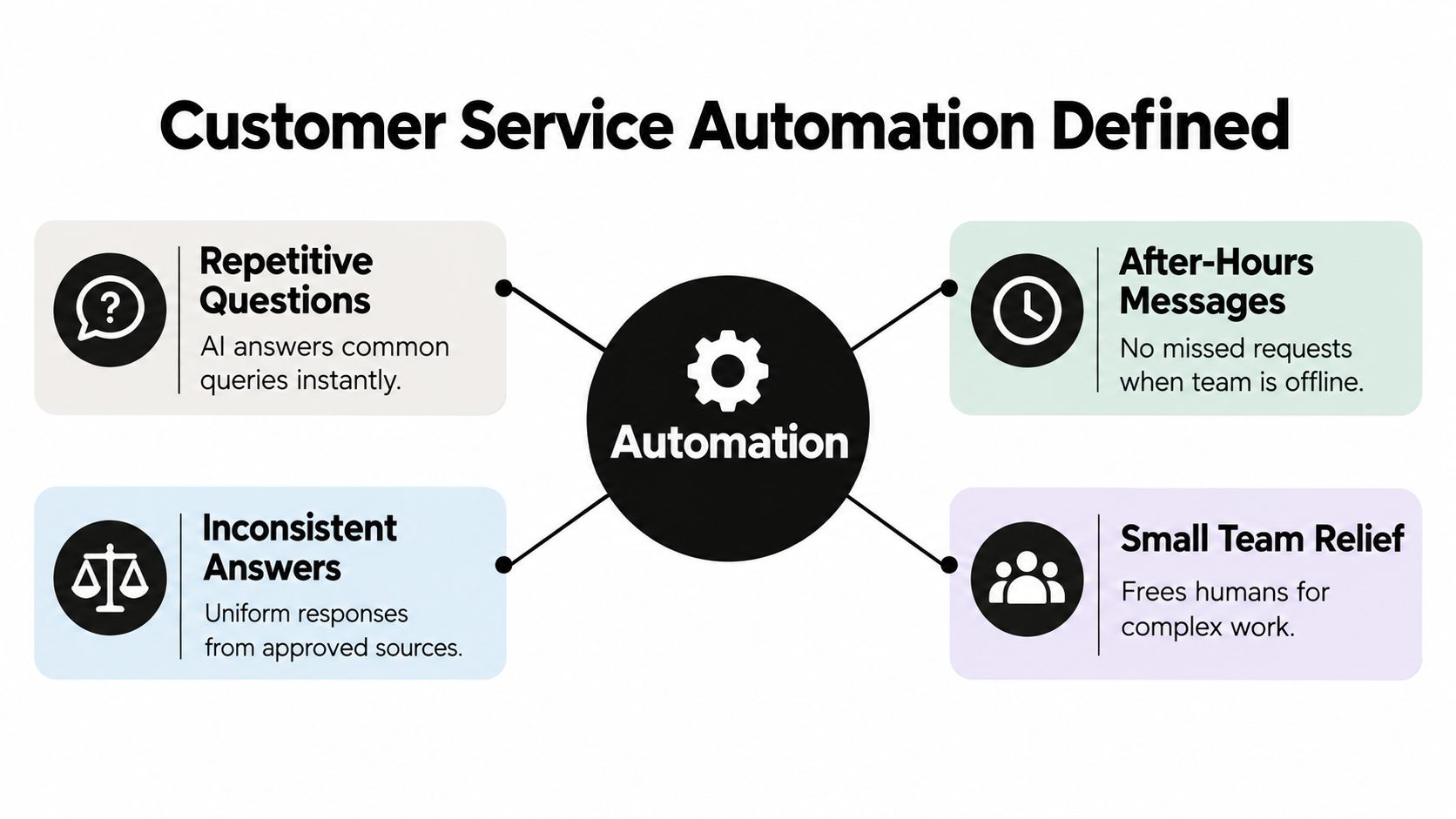
Customer service automation is the use of software to answer routine questions, retrieve information, organize requests, assist agents, and route cases to the right person. Some tasks follow fixed rules. Others use AI to interpret a customer's language and prepare an appropriate response.
A rule might send an invoice request to the billing queue. An AI assistant might recognize that a customer asking about an unexpected renewal needs the subscription policy, even without using the word “billing.” Both belong in the same operating model.
Automation Is Broader Than Conversation
A chatbot is an interface. Automation includes the less visible work behind it, such as assigning ownership, finding documentation, preparing drafts, and recording what remains unresolved.
The practical distinction is routine work versus judgment calls. Explaining a published cancellation policy may be routine; deciding whether to make an exception for a distressed customer isn't. A useful setup gives software a defined scope rather than permission to answer everything.
- Customer-facing work: Answer documented questions and guide customers toward relevant instructions.
- Behind-the-scenes work: Categorize messages, route requests, and prepare information for agents.
- Human responsibility: Interpret exceptions, approve sensitive actions, and manage difficult conversations.
Adoption alone doesn't establish quality. A systematic review citing Gartner's chatbot research reports that 54% of organizations used chatbots in 2022, while Gartner projected they could become the primary customer-service channel for approximately one-quarter of organizations by 2027.
The Decision Before Tool Selection
A business should first identify which work needs organizing, not which bot personality sounds most natural. MakeAutomation's automated customer service tools guide offers a starting point for comparing software options against those operational needs.
The aim is faster, more consistent service, not fewer conversations with employees. A sound buying decision therefore considers the workflow, the people responsible for it, and the evidence needed to judge results.
How the Automation Loop Actually Works
A useful analogy is a trained receptionist with an approved reference binder. The receptionist identifies the visitor's need, checks the relevant information, answers within their authority, and brings in a specialist when necessary.
Customer service automation should follow the same discipline. Its closed-loop workflow connects an incoming request to evidence, a response, an outcome check, and an accountable next step.
The Five Steps of an Automation Loop
| Step | What Happens | SMB Example |
|---|---|---|
| Classify | Identify the customer's intent and relevant risk signals. | Recognize a request for account-access instructions. |
| Retrieve | Find supporting information in approved sources. | Locate the current password-reset article. |
| Respond | Select a prepared answer or generate a grounded response. | Explain the documented recovery process. |
| Evaluate | Check evidence coverage and whether the problem was solved. | Record customer feedback or an unresolved follow-up. |
| Escalate | Transfer the case when a rule or unresolved condition requires it. | Send an inaccessible-account case to an agent. |
Each step needs an observable signal. Classification should produce an intent label; retrieval should identify a source; evaluation should distinguish supported answers from uncertain ones. Escalation should record why the transfer happened and who owns the next action.
Approved first-party knowledge means the business's website, files, help center, and authorized operational information. Restricting retrieval to those materials reduces exposure to unsupported answers, but it doesn't guarantee correctness. Missing or contradictory documentation still needs attention.
Handling Is Not Resolution
In a 2026 AI support benchmark, AI handled 75.3% of chats but resolved only 44.8% of the chats it handled without human involvement. Those figures describe different outcomes and shouldn't appear under the same dashboard label.
A conversation that receives an answer isn't necessarily a customer problem that has been solved.
For example, sending recovery instructions counts as a response. If the reset email never arrives, the customer still needs help, and the workflow must recognize that unresolved state.
Connections between systems also need explicit design. A business evaluating event-driven routing can use this explanation of webhooks for customer support to understand how events can trigger downstream actions.
For healthcare-related workflows, the HIPAA-compliant chatbot insights from HDM provide additional reading during requirements gathering. A chatbot's conversational ability shouldn't substitute for a separate review of permissions, data handling, and compliance obligations.
Core Components Inside an Automation Stack
A small business doesn't need to buy every available feature. It needs to identify the jobs that software must perform and check whether those jobs fit together.
A support stack can be understood as a customer entrance, an information layer, an agent workspace, and connections between them. Each component should earn its place by removing a specific obstacle.
The Customer Entrance and Information Layer
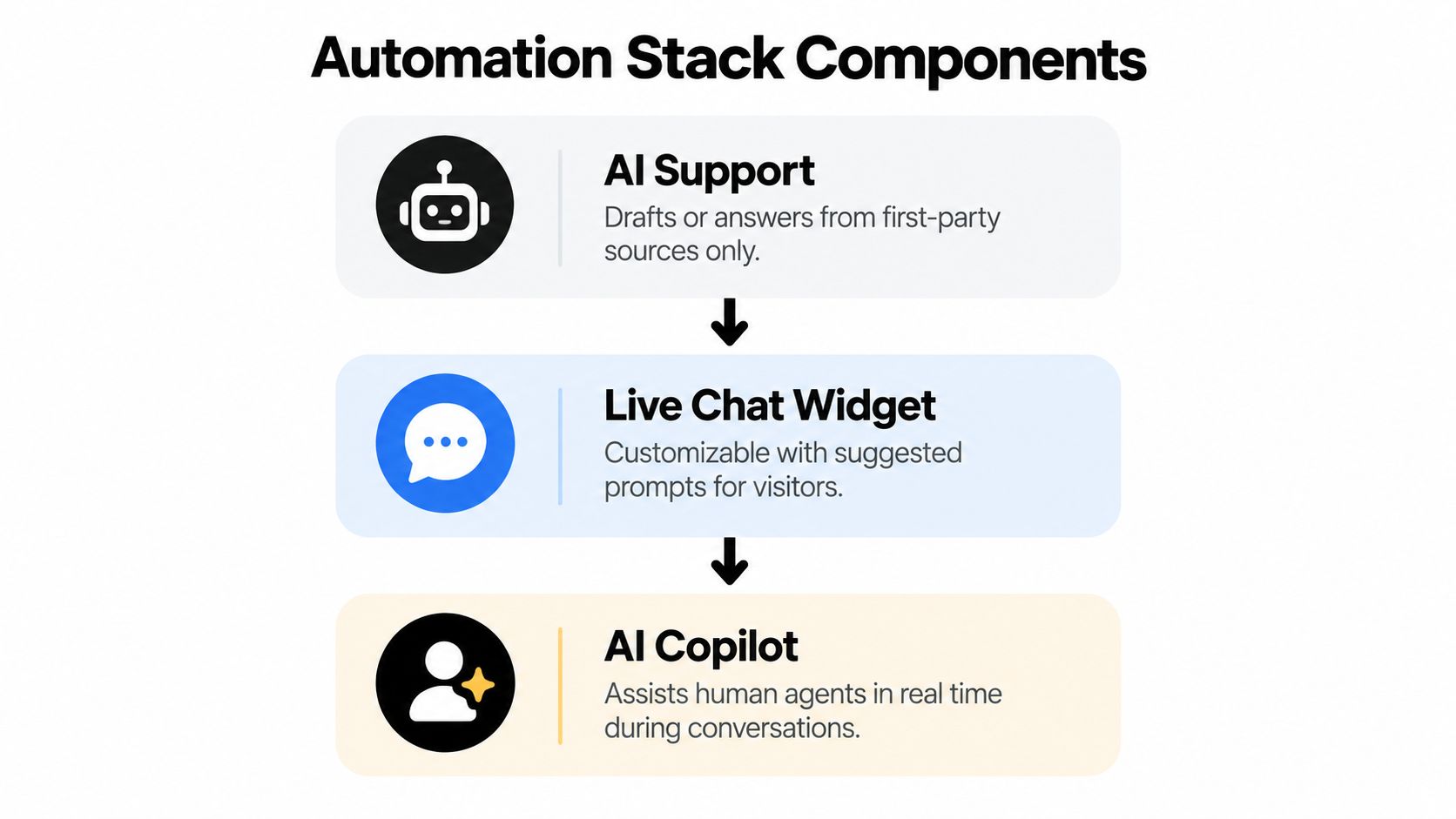
The live chat widget gives customers a place to ask for help. Suggested questions can direct them toward common tasks, while screenshots and file sharing let them explain problems that text alone doesn't capture. An offline form should make the next step clear rather than imply that an unavailable agent is responding.
The knowledge base holds maintained instructions, policies, and product explanations. Publishing those materials supports both customer self-service and automated retrieval. Content ownership matters here: an article without a responsible editor can become an unreliable reference.
AI Support connects questions to that information. During evaluation, the business should test whether answers stay within the approved material, especially when customers ask for promises or exceptions the documentation doesn't authorize.
The Agent Workspace
An AI copilot serves a different job from an autonomous responder. It prepares a draft from the conversation context while the employee reviews the wording and decides what to send.
Other components address work around the reply:
- Structured email routing: Bring incoming messages into an assigned queue rather than leave ownership implicit.
- Two-way translation: Help customers and agents communicate across languages, with review for sensitive wording.
- Conversation summaries: Highlight the request, attempted steps, and remaining issue.
- Collaboration integrations: Let agents work through Slack, Microsoft Teams, or Google Chat when those tools suit the team.
These are buying criteria, not reasons to accumulate software. A team struggling with scattered email may benefit more from unified ownership than from a more elaborate conversational interface.
Businesses with unusual workflows may choose to hire an AI chatbot developer through a specialist such as AY Automate. Custom development should follow documented requirements for access, maintenance, and operational responsibility.
The final test is integration. An impressive automated answer loses much of its value if the receiving agent can't see what happened before the transfer.
Benefits You Can Measure on a Small Team
The strongest business case may involve helping employees rather than removing them from conversations. Agent augmentation lets software prepare information while staff retain responsibility for the customer relationship.
A field study of 5,179 customer-support agents found that access to an AI assistant increased issues resolved per hour by 14% on average, with less-experienced agents benefiting most. That finding supports a practical question: can the existing team solve more problems without reducing service quality?
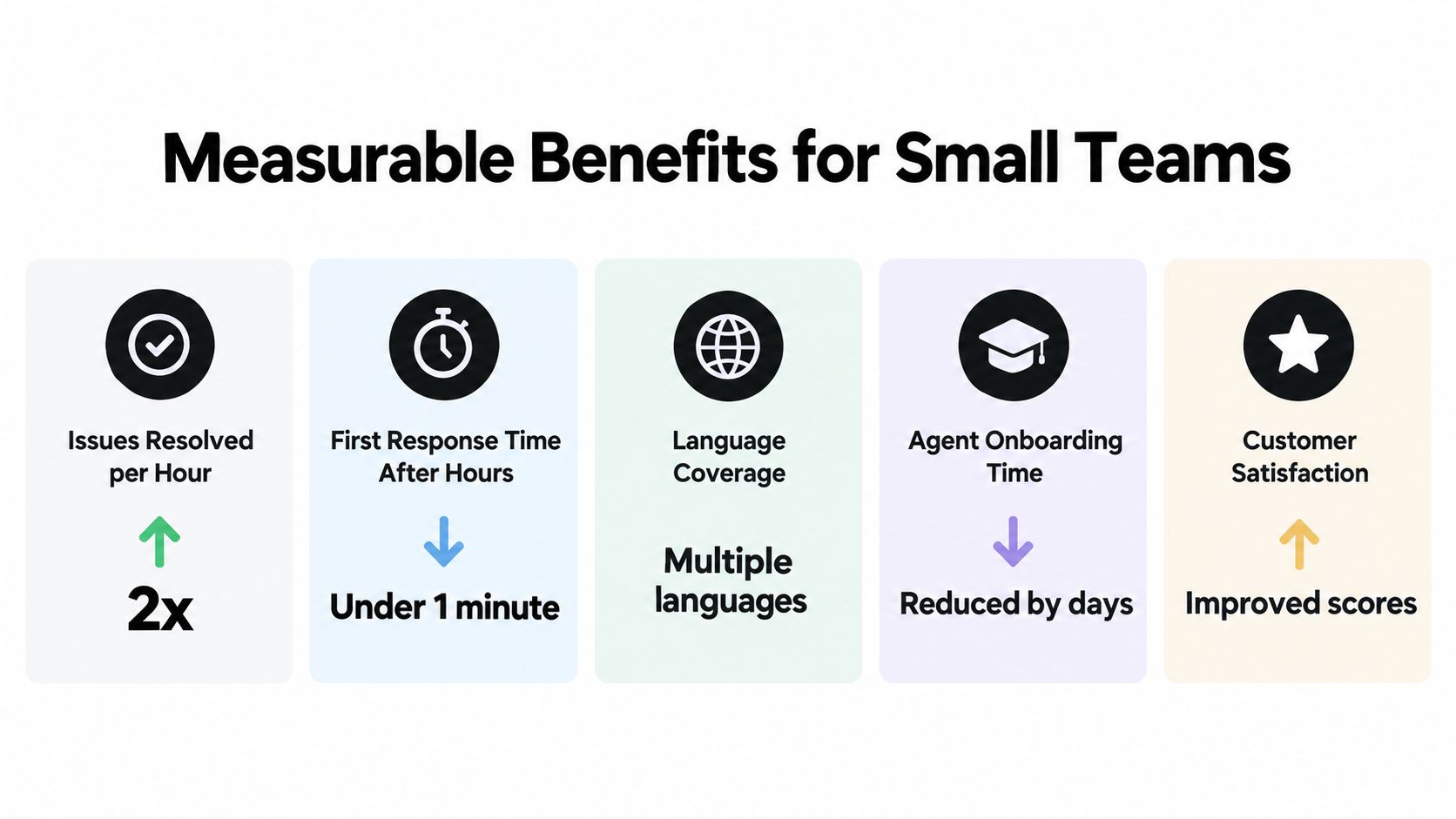
The illustration highlights possible measurement categories. Its displayed performance figures should be treated as illustrative, not as verified benchmarks or promised results.
Capacity Is Not the Same as Cash Savings
McKinsey's analysis of generative AI's economic potential estimates potential customer-care productivity gains equivalent to 30–45% of current function costs, depending on deployment conditions. That is an estimate of potential productivity value, not a guaranteed reduction in payroll or spending.
For a small team, additional capacity might mean absorbing seasonal demand, spending longer on difficult cases, or supporting new staff. The benefit depends on what employees can do with the time released.
A useful evaluation also distinguishes an acknowledgment from a useful first response. An automated receipt confirms delivery; a grounded explanation moves the issue forward.
A Practical Scorecard
- Successful resolution per staffed hour: Track completed outcomes against the labor required.
- After-hours response quality: Check whether replies provide useful help, not merely immediate text.
- Escalation quality: Review whether agents receive actionable information and clear ownership.
- Reopen rate and CSAT: Monitor returning problems alongside customer satisfaction.
- Onboarding and consistency: Observe whether newer agents find the correct policy and apply it appropriately.
Language coverage can be assessed through reviewed conversations rather than a list of supported languages. Maintenance and correction time belong in the cost calculation too. A faster reply isn't an operational gain if another employee must later repair it.
Risks and Failure Modes Most Guides Skip
Speed and access to people aren't opposing customer needs. A 2025 Verint-cited customer experience survey found that 56% ranked receiving information quickly as the most critical part of good experience, while 48% valued access to a human when necessary; 55% had escalated an AI-handled issue, 45% said AI failed to understand their problem, and only 22% said companies clearly disclosed AI use.
The operational lesson isn't to avoid automation. It's to treat trust, uncertainty, and access as design requirements rather than problems to address after launch.
Correct Sources Can Still Produce Wrong Answers
First-party content may be outdated, incomplete, or inconsistent. An assistant could retrieve an old return policy and present it confidently, even though it followed the configured retrieval rules.
A different failure occurs when the answer extends beyond the source. A policy describing eligibility doesn't necessarily authorize a refund, and general delivery guidance doesn't establish the location of a particular package.
| Failure Mode | Design Constraint |
|---|---|
| Outdated policy appears in answers | Assign a content owner and remove superseded material. |
| Unsupported promises | Separate explanation from authority to take action. |
| Repeated misunderstanding | Trigger review after unsuccessful clarification. |
| Hidden AI involvement | Disclose automated assistance clearly. |
| Unowned transfer | Require an assigned destination and pending-case visibility. |
A Transfer Button Isn't Enough
A customer can technically reach a person and still encounter a poor experience. The request may land in an unattended channel, arrive without relevant details, or appear resolved before anyone reviews it.
A documented process for escalating an issue should identify qualifying situations, responsible staff, and what happens when the usual owner is unavailable. Billing disputes, accessibility needs, and emotionally sensitive complaints deserve particular attention during testing.
Operational safeguard: Every automated transfer should create a visible obligation for a named team or agent.
Confidence thresholds can help determine when automation should stop, but a confident tone isn't evidence of accuracy. Teams should test thresholds against reviewed conversations and combine them with intent rules, source checks, and customer requests for assistance.
Maintenance also requires a budget. Someone must update articles, investigate unanswered questions, inspect failures, and revise instructions. If those tasks remain unassigned, agents may inherit the workload as corrections, explanations, and repeat contacts.
What a Working Setup Looks Like in Practice
Consider a hypothetical ecommerce business whose support team works in Slack. Its customers contact the company through website chat and email, while agents use a shared workflow to manage both.
After closing time, a shopper asks how to check an order's status. The assistant retrieves the help-center instructions and explains how to open the tracking page from the confirmation email. It doesn't invent a shipment update, because general documentation cannot establish a particular order's current location.

The Exception Arrives in the Morning
Another customer disputes a refund decision. The configured workflow sends the case to the billing queue, where an agent receives the conversation and a concise account of the unresolved disagreement.
The agent reads the customer's explanation instead of starting another round of background questions. A draft identifies the applicable policy, but the employee adjusts the response after considering the circumstances.
The useful division of labor is visible in the work: software prepares the case; the employee decides how to handle the exception.
Later, a customer writes in Spanish about a product setup problem. Two-way translation helps the English-speaking agent review the request and prepare a response. Because a translated technical phrase appears ambiguous, the agent asks for a screenshot rather than assuming the meaning.
Ownership Remains Visible
The same setup needs operating rules beyond the conversations themselves:
- Shared queues: Chat and email enter a consistent assignment process.
- Explicit ownership: An agent accepts responsibility rather than assuming a colleague will reply.
- Continuous history: Follow-up messages remain connected to the relevant issue.
- Reviewed drafts: A newer employee checks the proposed answer against the cited article before sending it.
This is an illustrative workflow, not a customer case study or a promise of performance. Its value comes from the relationship between tasks, permissions, and ownership.
Retailers considering similar workflows can explore chatbots for ecommerce while separating general product guidance from actions that require authenticated customer data. That distinction determines what a system can safely accomplish, not just what it can say.
A Practical Implementation Roadmap
A cautious rollout is sensible for a resource-constrained business. In 2025 small-business survey findings, 9% of surveyed owners reported using AI for customer service, while 55% cited cost as a barrier and 62% cited a lack of understanding about AI's benefits.
A pilot should answer a narrow operational question before the business commits to broad deployment. The starting point is a manageable category of work with clear documentation and limited consequences if an answer needs review.
Discover and Configure
Discovery begins with recent conversations. Staff should group recurring questions by intent, then assess volume, ambiguity, required permissions, and the consequences of an incorrect answer.
Published account instructions may be suitable for automated responses. Disputed charges may be suitable only for classification and agent assistance. The right scope depends on risk, not frequency.
Configuration should connect approved sources, define what the assistant may say, and specify when a person must take responsibility. Test cases should include incomplete questions, conflicting information, customer frustration, and requests outside the intended scope.
Measure Before Expanding
Before launch, the team needs a pre-automation baseline for comparable work. After launch, results should be reviewed by intent, channel, language, and whether an agent became involved.
Expansion should depend on demonstrated quality rather than message volume. A pilot with frequent agent corrections needs refinement even if its response speed looks impressive.
A rollout checklist can keep that decision concrete:
- Scope approved: Eligible requests and excluded situations are documented.
- Sources maintained: Each knowledge source has an owner and review process.
- Responsibility tested: Transfers reach the intended queue and receive attention.
- Quality reviewed: Sampled conversations are checked for accuracy and unsupported claims.
- Outcomes compared: Resolution, corrections, customer satisfaction, and repeat contacts are assessed against the baseline.
- Costs included: Software, configuration, review, and knowledge upkeep appear in the evaluation.
Measurement is the phase that distinguishes a working service improvement from a successful software installation. Without it, the business can observe activity but cannot establish whether customers and agents are better off.
Bringing It Together
Customer service automation is a service system, not a staffing swap. Its value depends on choosing appropriate work, giving software reliable information, and keeping employees accountable for exceptions and unresolved problems.
The important distinction is between activity and progress. A busy assistant may generate many replies while leaving customers stuck. A more restrained setup may provide better service by recognizing its limits and making the next action straightforward.
Decision rule: If automation cannot answer from verified first-party sources, escalate promptly, and preserve context for the person taking over, it isn't ready for those cases.
That rule provides a useful test during vendor demonstrations and internal reviews. Teams should test difficult conversations, missing information, and unsuccessful answers, not just the polished examples that work on the first attempt.
A practical starting point is a single recurring intent supported by an approved knowledge source. The team can define an escalation condition, select a customer outcome to measure, and review the resulting conversations before expanding. That keeps the investment tied to service quality rather than the appeal of the technology.
SignalZen combines AI answers from a business's website, files, and help center with human support managed through Slack, Microsoft Teams, or Google Chat. Businesses can visit SignalZen to explore a connected chat and email workflow, then evaluate it against a clearly scoped support pilot.


Better support without a bigger support team.
Start with AI. Add your team when the conversation needs a person.