
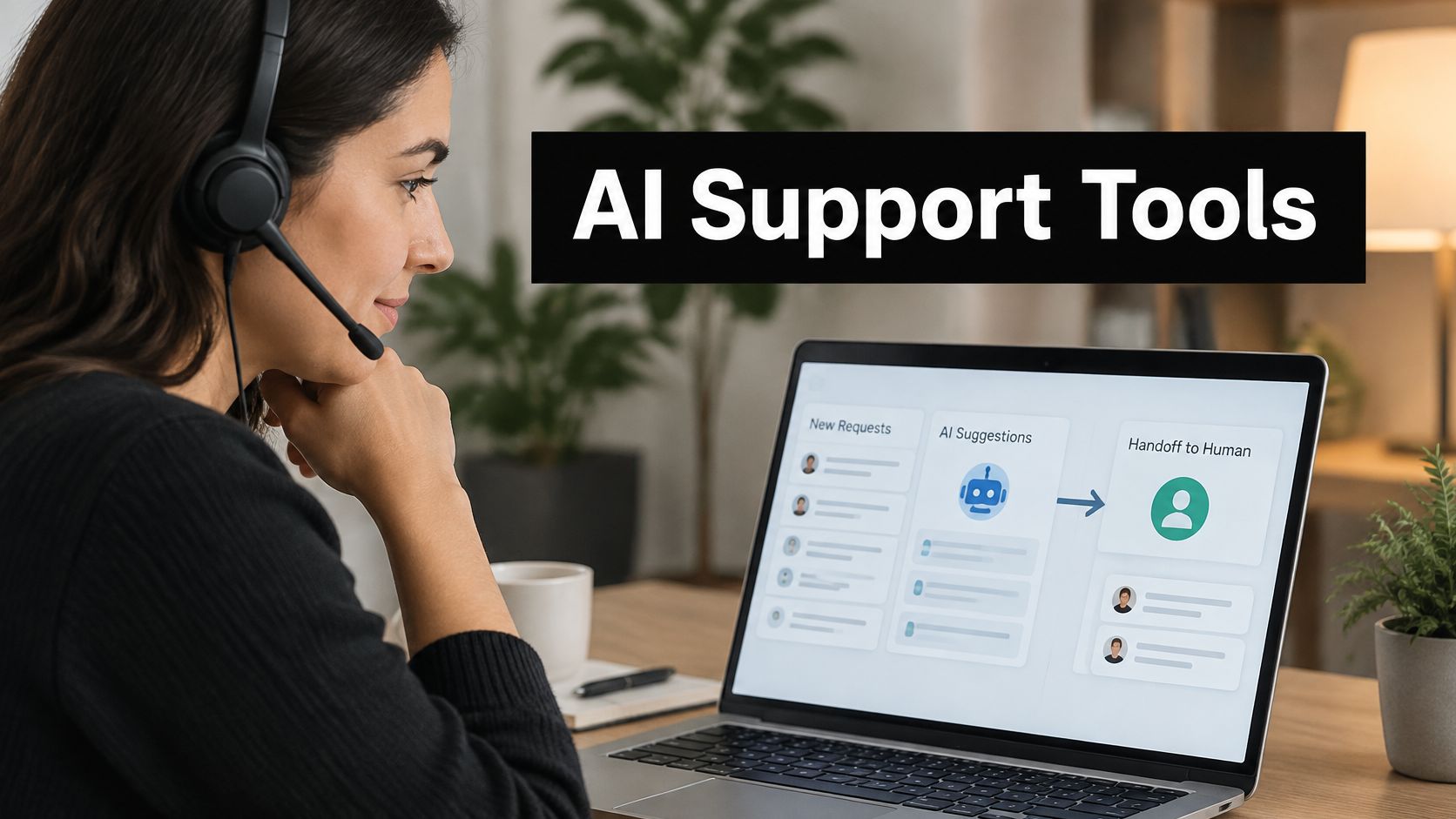
Monday morning, and the weekend queue is 300 chats deep. Roughly half of them are the same three questions: where's my order, how do refunds work, can I change my delivery address. The other half need a person who can open an account, make a judgement call, and sound like your company.
That split is the whole decision. Every tool below can answer the easy half. What separates them is the boundary: whether the AI knows when it's out of its depth, whether the handoff arrives with the conversation attached, and whether your team can pick it up inside the chat window, the shared inbox, Slack, or Teams without opening a sixth tab.
The list is grouped by where each product lives. Chat-first tools put a widget on your site and treat email as a second channel. Help-desk-first tools assume the ticket is the system of record. E-commerce-first tools know what's in the order table. Ranking all of this on one score hides the only thing that matters for AI customer support software: fit with the workflow your agents already sit in.
Where the human layer needs more hands than the budget allows, teams often hire latin american virtual assistants to cover evenings and weekends in their customers' time zones.
Table of Contents
- 1. SignalZen
- 2. Intercom
- 3. Zendesk
- 4. Freshdesk
- 5. Help Scout
- 6. Tidio
- 7. Gorgias
- 8. Zoho Desk
- 9. Crisp
- 10. Text
- How the leading AI customer support tools differ on trial access, AI cost model, and primary focus
- Shortlisting Tools and Testing Them With Real Tickets
1. SignalZen
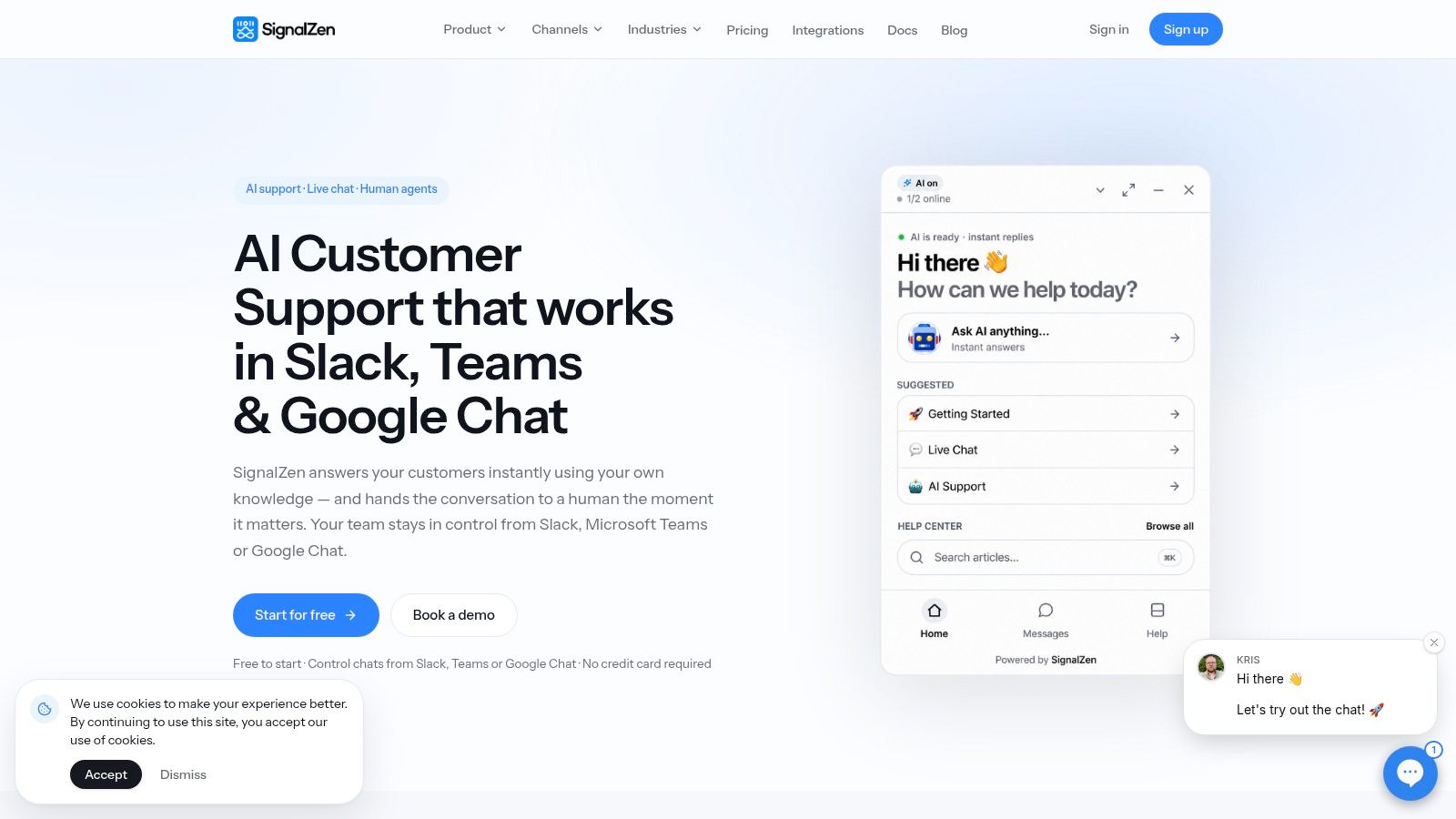
SignalZen fits a team that already works in Slack, Microsoft Teams, or Google Chat and will not keep a second support console open all day. AI Support answers from the company's website, uploaded files, help center articles, and written instructions. Replies stay inside material the business controls.
Chat and email land in one queue. Agents answer either channel from Slack, Microsoft Teams, Google Chat, the Console, or the iOS and Android apps. The handoff is a person joining the same thread, not a ticket copied into another inbox.
Where the AI stops
Start with AI support and add the team when a conversation needs a person. A human agent can take over any thread with the full history and customer context intact. AI summaries condense a long conversation into what happened and what is still open. The customer does not retell the story, and the Monday shift inherits a weekend queue it can read.
Speed and resolution do not move together. In a retrospective survey of 400 customer-service users, about 77% to 79% of chatbot users reported waiting under a minute, against 24% to 33% of users dealing with live agents, yet chatbot success rates were only 34% to 42% against roughly 79% to 87% for live agents (the arXiv study). Fast replies are the easy half. Solved tickets are the hard half, which is why the takeover has to carry the history.
A bot that escalates in forty seconds with a summary beats one that argues for six turns and loses the order number.
What the pricing model means at volume
Every plan includes unlimited chats and unlimited bandwidth, with no per-conversation charge. A launch week or a holiday spike does not show up as a surprise invoice. All integrations, premium support, and the Help Center website are included at every tier. Every plan starts with a 30-day free trial, no credit card, and monthly plans can be cancelled any time.
Pros
- Runs where the team already works. Agents answer chat and email from Slack, Microsoft Teams, Google Chat, the Console, or the mobile apps.
- Grounded answers. Responses come from first-party sources, and two-way AI translation lets a one-language team cover other languages.
- Handoff keeps context. Full history plus an AI summary, so the second conversation starts where the first ended.
Cons
- Two incoming channels. New conversations arrive through the website live chat widget or a forwarded support mailbox, not a wider channel mix.
- Answer quality tracks content upkeep. Stale help center articles produce stale answers, and someone has to own that review.
2. Intercom
Intercom is the product many teams picture when they hear "AI agent," and Fin is why. Fin resolves conversations inside the same messenger and inbox the human team uses, so a handoff is a reassignment rather than a channel switch. That single design decision removes most of the context loss that plagues bolt-on chatbots.
The layered model matches what buyers report. In IBM's survey of nearly 1,500 customer-service managers, directors, and executives across 34 countries, more than half of organizations using conversational AI had deployed generative AI in one to four customer-service use cases, and 65% of leaders expected combining generative AI with conversational AI to increase customer satisfaction. Organizations using generative AI also generally described higher satisfaction levels than those that didn't.
The resolution charge is the decision
Fin is charged per resolution on top of agent seats, so the bill scales with automation rather than headcount. Model a busy month at double your current volume before signing, because a per-conversation charge that looks trivial in a demo adds up quickly when the agent is doing the work. Seat-heavy plans with a quiet AI agent can end up cheaper than the reverse.
Pros
- One workspace for AI and humans. No separate bot platform to reconcile later.
- Broad messaging and automation. Workflows, reporting, and multilingual help centers on eligible plans.
- Fin is evaluated on your own help center. Run it against past conversations before you buy.
Cons
- AI is billed separately from seats. Budgeting needs both numbers.
- Adopting the workspace. Intercom's inbox becomes your inbox; teams often underestimate that migration.
3. Zendesk
Zendesk is a help desk first and an AI product second. That order suits teams with SLAs, several channels, and routing rules that predate any interest in automation. The AI slots into work you've already defined, which is exactly what a process-heavy team needs.
What agent assist actually buys
Field evidence sets the expectation. A study of 5,172 customer-support agents found that access to a generative-AI conversational assistant raised issues resolved per hour by 15% on average and cut average chat duration by 8.5%, from a baseline of roughly 43 minutes, while the estimated effect on net-promoter score was -0.12 percentage points around an 80% mean (the arXiv paper). Throughput improved. Satisfaction didn't move.
Read that as a deployment instruction rather than a verdict. Measure resolution time and handle time when agent-assist features go live, and segment by agent experience and issue type, because the productivity gain in that study varied substantially between workers. Expecting CSAT to lift on its own is how pilots get cancelled.
Pros
- Deep channel management. Ticketing, messaging, chat, and knowledge in one suite, with voice available separately.
- Routing and summaries. AI triage, conversation summaries, and reply assistance on eligible plans.
- Established integrations. The widest ecosystem in this list for teams with a stacked tech environment.
Cons
- Configuration weight. More than a small team needs, and more setup than a chat-first tool.
- Add-on pricing. AI resolutions and premium features need cost planning before rollout.
4. Freshdesk
Freshdesk is the conventional choice, and conventional is a feature when a team is hiring its first support manager. Tickets, a shared inbox, a customer portal, and a knowledge base are the familiar pieces, with Freddy AI layered across both the customer-facing and agent-facing sides.
The migration path is the selling point. A company moving off a shared Gmail account can keep its folder habits and gain assignment, escalation, and reporting without relearning support from scratch.
The session limit decides the plan
Freddy AI Agent handles automated support subject to plan and session limits, while Freddy AI Copilot for reply suggestions, summaries, and translation sits on higher tiers or paid add-ons. Ask what counts as a session before comparing headline prices, because a session-limited agent behaves very differently at 50 conversations a day than at 500. Then check which Freshworks product holds your chat history, since Freshchat and Freshdesk don't share a single mental model.
Pros
- Familiar structure with clear escalation. Tickets route to humans without drama.
- Entry plans cover the basics. Core ticketing and self-service without an AI commitment.
- AI on both sides. Customer automation plus agent productivity tools.
Cons
- Session limits on AI usage. Growth in volume triggers add-on spending.
- Portfolio sprawl. Overlapping Freshworks products and plan pages complicate comparison.
5. Help Scout
Help Scout suits teams whose support still looks like email, which describes most companies under twenty people. Shared inboxes, customer profiles, and conversation history map onto how a small team already works, so the migration takes days rather than a quarter. There's a free plan for getting started and public pricing for the rest.
Why the inbox still wins on handoff
Genesys research reports that 94% of consumers value efficiency as much as empathy, that not being able to reach a human remains the leading frustration, and that 48% of organizations don't automatically transfer information between virtual and human agents. An inbox that keeps the thread intact is the cheapest fix for that last figure, and it's why a plain shared inbox still beats a flashy bot for some teams.
Envoy, the AI add-on, resolves what it can and escalates the rest, but the answers are only as good as the knowledge base behind them. If your articles are three years old, Envoy will confidently repeat three-year-old policy.
Pros
- Clear shared-inbox model. Easy to teach, easy to audit.
- Transparent pricing. Public plans plus a free tier.
- AI sits beside familiar workflows. No new console to adopt.
Cons
- AI resolutions billed separately from seat-based plans.
- Fewer enterprise contact-center controls than Zendesk or Freshdesk.
6. Tidio
Tidio sells speed of setup. Drop a script on the site, point Lyro at your support content, and the first automated answers can go live the same week. For a small store testing whether AI support is worth the trouble, that's the right first experiment, and the free trial conversations let you run it without a procurement cycle.
Where the market actually is
Adoption is still early, so a low-friction entry point matters. A UK government survey of AI adoption reported that around 16% of businesses were already using at least one AI technology, while another 5% planned to adopt it. Read that as a warning about operating discipline rather than a green light: the tools that survive are the ones a team maintains.
The economics are metered. Lyro conversations are billed by usage, so cost tracks volume in a way per-seat pricing doesn't. Lyro Connect extends the agent into certain existing support systems without a platform switch, which carries plan requirements and usually ends in a sales conversation.
Metered AI is fine until a launch week triples your chat volume.
Avoid treating automation as a chatbot versus live chat choice. The central question is which conversations each one owns, and where the widget hands over.
Pros
- Fast to launch. Chat-first setup aimed at small teams.
- Test before committing. Trial conversations on Lyro.
- Upgrade path without a rebuild. Lyro Connect works alongside some existing systems.
Cons
- Usage-metered AI. Costs move with volume.
- Complex queues need verification. Heavy ticketing and controls are not its strength.
7. Gorgias
Gorgias is the default for stores whose support questions start with "where is my order". It reads store data, so the AI can check an order instead of guessing at one, and the help desk is built around the channels retail customers use, including Shopify workflows.
Buyers are ready before the tools are
Demand isn't the constraint. Kustomer's 2024 survey of 1,200 US consumers found that 78% said they were willing to interact with AI agents, particularly for routine tasks. Order status, delivery windows, and return eligibility are the definition of routine, which is why commerce tools see the fastest payback.
The billing model is the catch. Tickets are billed by usage and AI automation is charged separately, so a single conversation that the AI resolves and a human then touches can carry two charges. Watch that stacking during your first month with real volume, and read the chatbots for e-commerce playbook on which questions to automate first.
Pros
- Store context in the AI. Answers grounded in orders and product data.
- Built for retail workflows. Returns, shipping, and pre-sales in one queue.
- Separate ticket and AI charges keep the cost lines visible.
Cons
- Variable costs. Harder to forecast than per-seat pricing.
- Narrow fit. A B2B software queue with technical questions will outgrow it.
8. Zoho Desk
Zoho Desk makes most sense inside a Zoho estate. If CRM, invoices, and campaigns already live in Zoho, running support in the same ecosystem is the short path, and Desk holds up as a standalone ticket queue for smaller teams with public pricing and a free trial.
Zia depends on your tier
Zia AI features vary by plan and configuration, and some generative functions need an external AI provider connected before they work at all. Confirm eligibility for your region and tier in writing before rollout, and test the self-service widget with your own questions, because bot and live chat features are tier-dependent too.
Pros
- Predictable pricing. Public plans and a trial.
- Ecosystem integration. Natural fit with Zoho CRM and related products.
- Help desk fundamentals at several plan levels.
Cons
- AI availability varies by plan.
- External AI provider sometimes required for generative features.
9. Crisp
Crisp prices by workspace rather than by agent, which changes the maths for a five-person team sharing a queue. Chat, shared inbox, email, help center, and AI tooling arrive as one product, and the AI trains on company content with an internal Copilot beside agents.
Multilingual is not solved
Translation claims deserve scrutiny. A 2025 study testing Hindi-English, Spanish-English, and Tamil-English code-switched messages reported query-classification accuracy above 92%, with precision and recall consistently above 90% in multilingual scenarios (the SCITEPRESS paper). High accuracy on intent isn't the same as a correct refund answer in a mixed-language thread, and an agent still needs the original message beside the translated one before sending a reply that commits the business to something.
Pros
- Workspace pricing suits multi-agent teams.
- Broad feature set in one product.
- Multiple knowledge sources for training.
Cons
- AI runs on plan credits, not unlimited use.
- Seat caps and credits differ by plan, so configuration work is real.
10. Text
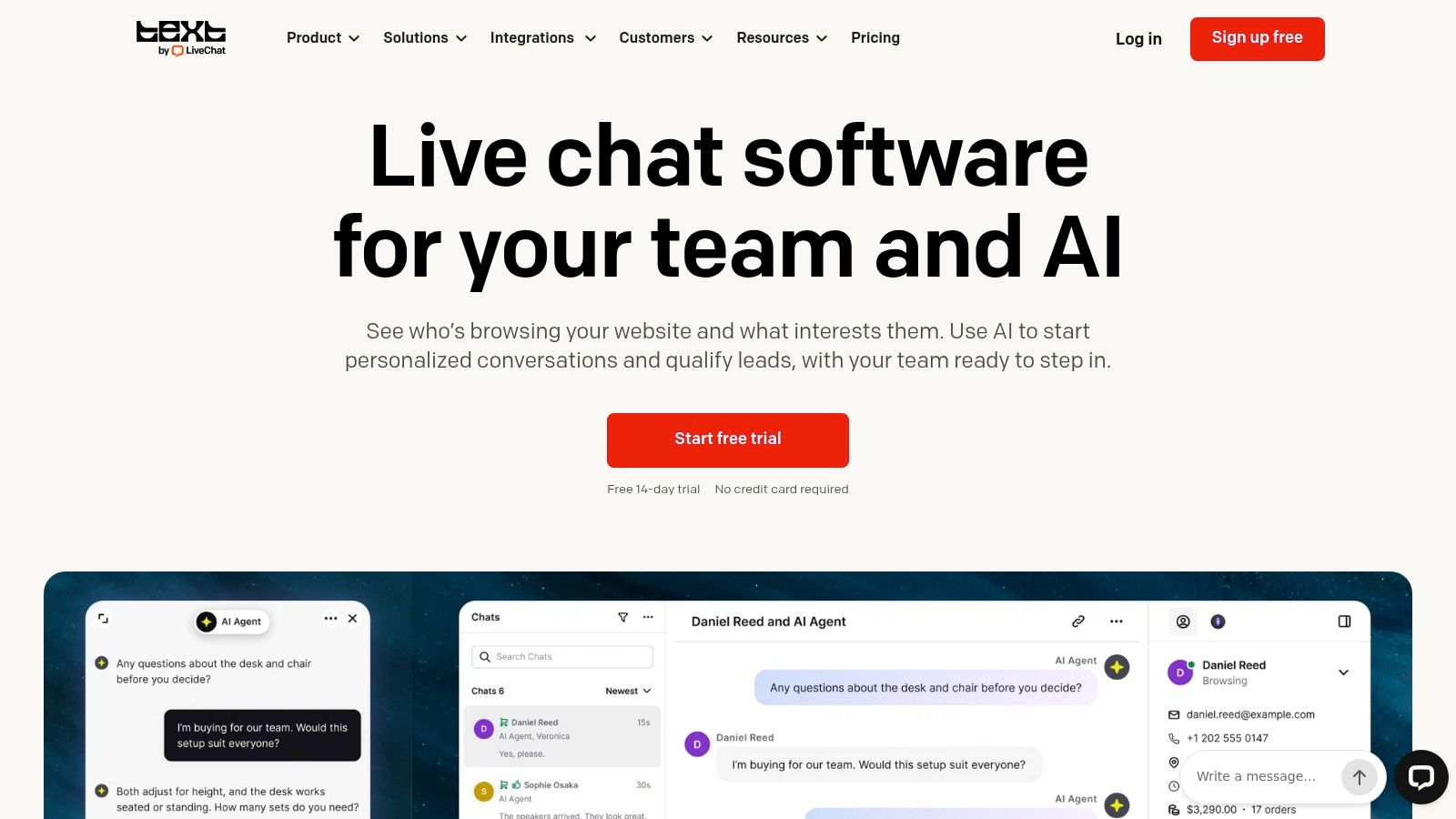
Text is LiveChat's newer platform, and existing LiveChat customers need to check which product their subscription maps to before assuming features carry over. It bundles website chat with a shared inbox, ticketing, and AI agents, aimed at teams whose volume starts on the site.
Resolution allowances set the ceiling
The AI Agent and Copilot are included on listed plans with a resolution allowance, and the entry tier's allowance is low enough that a busy month will exhaust it. Extra resolution packages exist, which turns a predictable per-seat bill into a variable one. Growth also costs substantially more per user than Essential, so price the upgrade path at your projected volume rather than today's.
Pros
- Public pricing includes AI allowances.
- Chat plus ticketing, not chat alone.
- Free trial, with Shopify features and proactive campaigns on eligible plans.
Cons
- Low entry allowance for AI resolutions.
- Legacy confusion. Distinct from LiveChat subscriptions, so verify which product applies.
How the leading AI customer support tools differ on trial access, AI cost model, and primary focus
Trial access is the easy column. The bill changes with how AI is metered after a person takes over, and with whether that handoff sits in site chat, a help desk, or a store inbox.
| Item | Best for | Free trial or free plan | AI cost model | Primary focus |
|---|---|---|---|---|
| SignalZen | Small and medium businesses working in Slack, Microsoft Teams, or Google Chat | 30 day free trial, no credit card, no commitment | No per-conversation charge; unlimited chats and bandwidth on every plan | Chat and email: AI answers from the website, files, and help center, then a person takes over with the history |
| Intercom | SaaS and digital businesses | Free trial | AI-agent charges separate from agent seats | Customer messaging and a shared inbox |
| Zendesk | Larger or process-heavy support teams | No free plan in this comparison | AI resolution charges and premium add-ons | Help-desk-first, multichannel queues |
| Freshdesk | Growing teams that want a conventional help desk | Entry plans include core ticketing and self-service | AI sessions may be limited; add-ons may cost extra | Help-desk ticketing with AI assist |
| Help Scout | Small and mid-sized teams on simpler email workflows | Free plan | AI resolutions billed separately from seats | Shared inbox, with human ownership kept central |
| Tidio | Small and e-commerce teams adding AI chat | Free trial conversations | Metered AI conversation usage | Chat-first website live chat |
| Gorgias | E-commerce retailers | No free plan in this comparison | Ticket-based billing plus separate AI automation charges | E-commerce-first support with store integrations |
| Zoho Desk | Businesses already using Zoho products | Free trial | AI is included or limited by plan and setup | Help desk inside the Zoho suite |
| Crisp | Teams that want workspace pricing and multilingual chat | No free plan in this comparison | Plan-specific AI credits | Live chat, shared inbox, and AI tools |
| Text | Teams centered on website conversations | Free trial | AI resolution allowances; extra packages cost more | Live chat, ticketing, and AI agents |
Shortlisting Tools and Testing Them With Real Tickets
Start with the workflow you already run, not the feature list. If the team lives in Slack or Teams, favor tools that answer and hand off there, because a superior AI bolted to a console nobody opens will lose to a decent AI inside the tool where people already work. If most of your volume is order questions, favor commerce-specific platforms that can read the order table. If most of it is email, favor the shared inbox.
Investment is still climbing, which means more demo requests will land in your inbox. In 2024, Salesforce's survey of more than 5,500 service professionals across 30 countries found that 79% of organizations had invested in AI, and 83% of service decision-makers said they planned to increase AI investment over the following year. Fewer of those deployments will survive contact with a real ticket queue.
The test that separates them is boring and takes a day. Export 50 to 100 real past conversations, including the messy ones with screenshots and partial order numbers, and run them through every shortlisted tool. Then score three things.
- Answer accuracy from your own sources. Not whether the AI sounds confident, but whether the policy it quotes is the one currently in force.
- Handoff completeness. Read the summary an agent receives and ask whether it answers the customer's question without a follow-up message.
- The bill at double your volume. Rebuild the invoice with twice the conversations, twice the AI resolutions, and the same headcount.
Watch for the failure modes that show up in every tool. Knowledge bases rot, so answers drift out of date within months of launch and someone has to own article review. Escalation triggers get configured once and never revisited, so the AI keeps handling a category it should have released. Translations read fluently and change the meaning of a commitment. None of these are model problems. They're ownership problems.
Begin with AI support and add human agents once you can see which conversations need them. The metrics worth tracking are narrower than most dashboards suggest: containment with verified resolution, first-response time, time to resolution, escalation completeness, repeat explanations, and customer effort after a handoff. Most tools here offer a trial, so use it on your own content and channels before committing to a plan.
SignalZen is built for exactly the split this list keeps returning to: AI Support answers from your website, files, help center, and instructions, then hands the conversation to your team in Slack, Microsoft Teams, or Google Chat with the full history and an AI summary attached. Every plan includes unlimited chats and unlimited bandwidth, all integrations, the Help Center website, and a 30-day free trial with no credit card required, so you can test it against your own real tickets before deciding. Visit SignalZen to start the trial and see where the AI stops and your team takes over.


Better support without a bigger support team.
Start with AI. Add your team when the conversation needs a person.