

Only 34%–42% of chatbot requests succeeded, compared with approximately 79%–87% for live agents, in a large retrospective survey of support experiences. That gap reframes the chatbot vs live chat decision: immediate access isn't the same as a completed task. For a small support team, the useful question is which requests automation should own, and how quickly a person can take responsibility when automation reaches its limit.
Table of Contents
- Speed Versus Resolution in Chatbot and Live Chat
- When Each Channel Answers and How Fast
- Which Requests Each Channel Resolves
- How Customers Judge and Choose Bot or Human Support
- Staffing and Cost Differences Behind the Choice
- Set Escalation Rules Before You Choose a Channel
Speed Versus Resolution in Chatbot and Live Chat
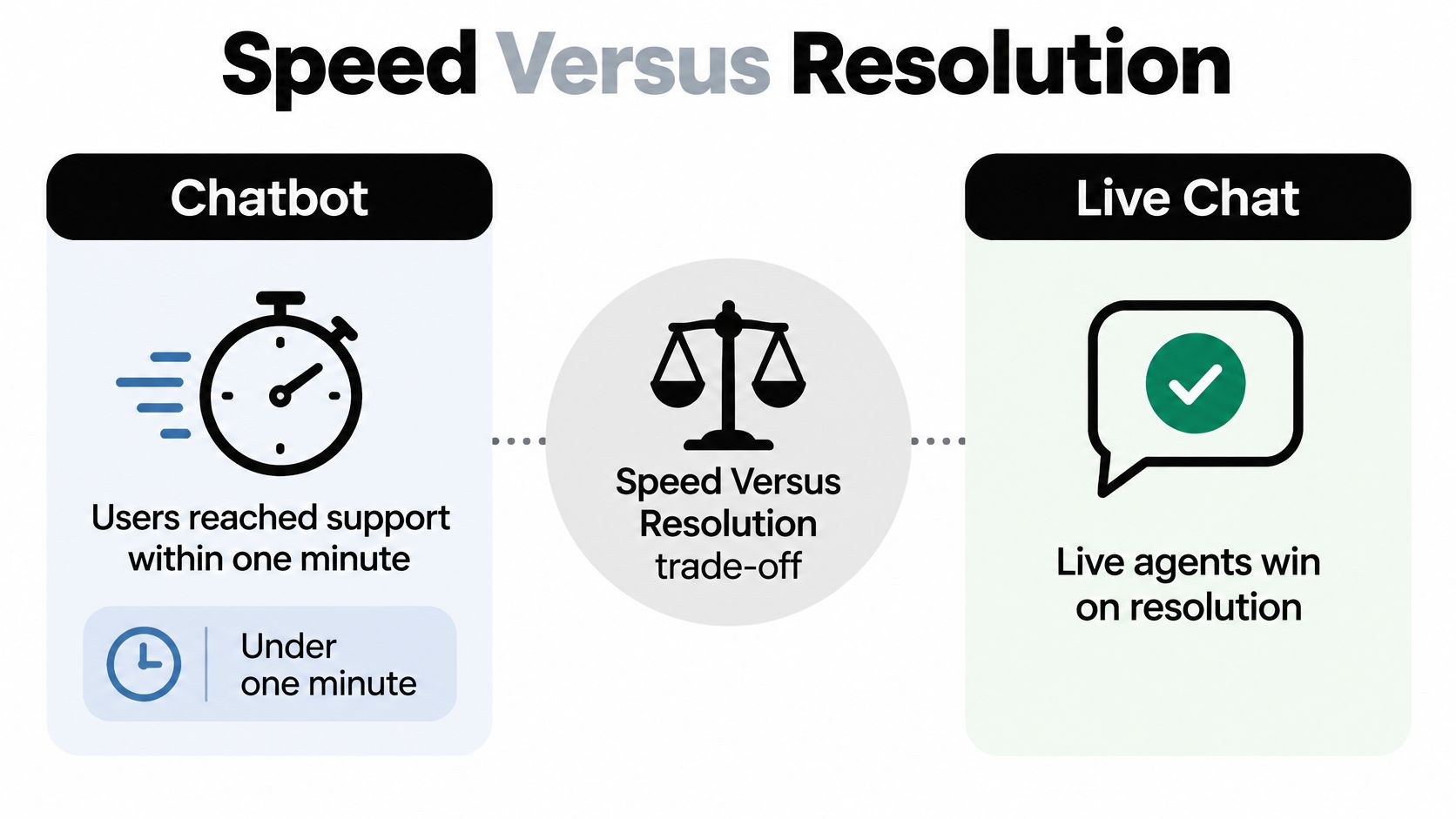
Chatbots win on access speed, while live agents performed better on successful resolution in the retrospective survey. Approximately 77%–79% of chatbot users waited less than one minute to access support, compared with 24%–33% of live-agent users, according to the survey published on arXiv.
Chatbot and live chat side by side
| Measure | Chatbot | Live chat | What it means |
|---|---|---|---|
| Reached support within one minute | 77%–79% | 24%–33% | Bot wins on speed |
| Successful resolution | 34%–42% | 79%–87% | Agent wins on resolution |
| Average customer rating (out of 5) | 2.2 | 3.1 | Agent rated higher |
| Coverage outside staffed hours | Answers at any hour when enabled | Requires an available agent | Bot covers the gap |
The speed, resolution, and rating figures above describe the survey's reported experiences, not guaranteed performance for a particular deployment. The coverage row describes how the channels operate rather than a measured survey result.
Access isn't completion
A quick acknowledgement has value, but a support manager shouldn't count it as a solved problem. If a customer receives an immediate answer, discovers that it doesn't apply, and then joins an agent queue, the automated exchange has added a step.
The survey also doesn't establish that replacing a particular bot with an agent would produce the same improvement everywhere. Request difficulty, implementation quality, and the customers choosing each channel can affect the comparison. Its operational lesson is narrower and more useful: response speed cannot stand in for resolution quality.
A fast answer is useful only when it moves the customer toward a completed task.
Complementary roles, not interchangeable channels
Automation is a sensible first responder when the business can define the answer and its limits. A person becomes necessary when resolving the issue requires interpreting an exception, making a decision, or accepting responsibility for the outcome.
That distinction changes how a team should evaluate a pilot. Instead of celebrating shorter response times alone, the manager should inspect whether customers could act on the answer and whether the same issue returned through another channel.
The queue-level test is straightforward: does the question have a documented answer the customer can act on without judgment? If so, a bot is a reasonable fit. Otherwise, a person should own the decision.
When Each Channel Answers and How Fast
Availability starts with a staffing schedule, not a chat icon. A widget can remain visible all evening without a human being available to answer it, so the interface should distinguish automated assistance from staffed live chat.
At SignalZen, the Copilot chatbot can be enabled after scanning the website knowledge base, allowing visitors to keep receiving answers when agents are offline. The live chat widget also supports offline forms, giving customers a way to leave requests that need human attention.
Match the widget to the rota
A support manager should make the online or offline state reflect the actual team schedule. The platform allows that status to be forced, and the live chat widget can be turned off with a Microsoft Teams command.
These controls serve different purposes. An offline status communicates that agents aren't currently available; disabling the widget changes whether visitors can use that entry point at all. Teams should choose deliberately rather than leave yesterday's status in place.
- During staffed hours: Show human availability only when someone owns the queue and can respond.
- Outside staffed hours: Identify automated assistance clearly and provide an offline route for unresolved requests.
- During unexpected absences: Update the widget state rather than continue promising live service.
- At shift changes: Assign responsibility for outstanding conversations before the outgoing agent leaves.
Test the answer, not just the greeting
Say a shopper visits on Saturday evening to ask whether a product ships to their country. An enabled bot can answer from a current shipping policy without waiting for Monday's team. A complaint about a damaged order needs a different response: collect the necessary context, explain that human review is required, and state the next staffed period accurately.
The bot shouldn't imply that somebody is investigating when no agent has accepted the case. Nor should an instant greeting conceal a long delay before the customer receives anything actionable.
Operational test: Measure time to the first useful reply, not merely time to the first message.
That measurement should include automated replies as well as agent replies. Teams should test the full path from submitting a question to receiving a usable answer, including retrieval delays and unsuccessful lookups.
Two checks make availability planning concrete: compare the actual staffed schedule with the times customers begin conversations, then inspect how long each channel takes to deliver a useful next step. That reveals whether the business needs more coverage, better automation, or clearer expectations.
Which Requests Each Channel Resolves
Requests should be sorted by the judgment needed to finish them, not by whether they arrive in a chat window. A short message can require substantial authority, while a detailed setup question may have a completely documented answer.
The distinction also requires an access check. A bot trained on website content can explain a delivery policy, but it can't truthfully provide a customer's current order status unless an appropriate system connection supplies that information.
Request types and the channel that resolves them
| Request type | Better fit | Why |
|---|---|---|
| Order status or delivery check | Chatbot | The answer sits in a system and suits an instant lookup when authorized access exists. |
| Product details, setup or policy lookup | Chatbot | The answer can be grounded in current, documented content. |
| Complaint or emotionally charged case | Live chat | Resolution needs empathy and judgment rather than another generic explanation. |
| Refund dispute or cancellation exception | Live chat | A person needs authority to assess and approve an exception. |
| Complex account or transaction problem | Live chat | Multi-step checks require full context and an accountable owner. |
| Accessibility need | Live chat | Flexible handling and clear ownership help accommodate the customer's stated needs. |
| Sensitive personal information | Live chat | Verification and careful handling require an appropriate, secure process. |
Separate knowing from doing
A bot may know the refund policy without having authority to reverse a payment. Similarly, it may explain account recovery without being able to verify identity or change account ownership. Those are different capabilities, and routing rules should record the difference.
A practical customer support chatbot scope should therefore identify the approved knowledge source, any permitted system action, and the condition that ends automation's ownership. A policy answer shouldn't become a financial decision.
Consider a setup question. If the customer asks where to enter an API key and the help center documents the process, automation can guide the steps. If the documented process fails and the customer reports an unexplained account error, the conversation has moved into investigation.
Reclassify the conversation when its purpose changes
An order-status lookup can become a complaint midway through. Once the customer explains that the package contains a time-sensitive replacement and previous promises have failed, continuing to repeat tracking information no longer addresses the request.
The routing system should evaluate the latest intent, not permanently retain the category assigned to the opening message. Otherwise, a technically correct answer can become an obstacle to resolution.
A support manager can begin with a manageable exercise: list the ten most common questions from the previous month and mark each bot-owned or human-owned. Beside each bot-owned category, record the evidence it needs and the boundary it must not cross. That list should precede configuration, because it defines what the automation is being asked to accomplish.
How Customers Judge and Choose Bot or Human Support
A correct bot answer doesn't automatically produce a good experience, but neither does automation automatically produce a bad one. In global platform reporting, rated live chats averaged 64.2% customer satisfaction, while chatbot-handled conversations scored 64.7%, according to the LiveChat customer service report.
Those close scores support a limited conclusion: automated conversations can receive comparable ratings in a suitable operating context. They don't establish that bots and humans handled equally difficult requests, or that a favorable rating confirmed successful resolution.
Similar averages can conceal different experiences
The counter-evidence is substantial. Some analyses of chatbot interactions have found many customers assigning the lowest possible rating, and a controlled experiment found that consumers evaluated identical service more negatively when a bot delivered it, as discussed in the Journal of Consumer Research article.
These findings shouldn't be collapsed into a single verdict. Platform satisfaction reporting describes rated conversations in a particular service environment; controlled experiments isolate aspects of customer perception. An average can also hide a split distribution: a bot that resolves simple questions cleanly and fails badly on the rest can post the same mean score as one that is merely adequate on everything. Neither pattern justifies assuming every customer will react the same way.

Preference also changes with the audience and task. A 2025 survey of more than 1,000 communications-service customers found that 85% preferred AI chatbots or similar tools over live agents for service questions, with younger generations more favorable toward AI and older generations leaning toward agents, according to The Desk's coverage of the CSG study.
That sector-specific preference isn't a universal routing instruction. It's a reason to investigate the business's own customer segments rather than assume that an aggregate preference applies to every visitor.
Route by expressed need, not demographic assumptions
A younger customer seeking a quick product answer and an older customer disputing a bill may need different starting points. The decisive distinction, however, is the request and the customer's stated preference, not an inferred age category.
A useful experience gives customers enough information to choose:
- Identify automation: Make clear that the initial responder is a bot.
- Expose human access: Show how to request a person without requiring a special phrase.
- Respect language context: Preserve the original wording alongside translations when meaning may be sensitive.
- Honor the requested outcome: Distinguish a request for information from a request for someone to take responsibility.
Multilingual support deserves particular attention. Translation can expand the questions automation can handle, but an escalated billing dispute still needs someone to verify that amounts, commitments, and the customer's intended meaning survived translation.
Measure satisfaction by conversation ownership
A blended satisfaction score can conceal a weak automated experience behind strong agent recovery. Reporting should distinguish bot-only conversations, human-only conversations, and conversations that transferred between them.
That last group carries the most diagnostic value. A transferred conversation that ends well still records the friction of the transfer, and a low score in that group often points at the handoff itself rather than at either responder. The team should also segment by request complexity and language where practical. That makes the result actionable: a poor score for automated setup guidance calls for a different correction than a poor score after a delayed dispute handoff.
The central question isn't whether customers like AI in the abstract. It's whether the chosen route helped the particular customer achieve the intended outcome without unnecessary effort.
Staffing and Cost Differences Behind the Choice
Live chat and chatbots require different kinds of work. Human coverage requires scheduling, training, supervision, and enough capacity for peak demand; automation requires a defined scope, reliable knowledge, testing, and ongoing correction.
A chatbot shouldn't be treated as labor-free support. Its workload moves partly from answering individual questions to maintaining the materials and rules that shape those answers.
Cost drivers of live chat and chatbots
| Cost driver | Live chat | Chatbot |
|---|---|---|
| Cost as volume grows | Rises when peak demand requires more agent hours | Can fall per conversation as volume grows under a flat plan |
| Coverage outside staffed hours | Needs extra agent shifts for immediate human replies | Automated answers can remain available at any hour |
| Setup effort | Hiring, training and scheduling | Knowledge base build and ongoing upkeep |
| Pricing exposure | Staffing tied to workload and coverage requirements | Flat plans with unlimited chats avoid per-conversation charges |
Separate software charges from service costs
SignalZen provides a concrete flat-pricing example: all plans include unlimited chats and unlimited bandwidth, with no per-conversation charge. Every plan starts with a 30-day free trial, with no commitment or credit card required, and monthly plans are billed monthly and can be cancelled at any time.
That structure removes a conversation-volume charge, not every cost associated with growth. More unresolved cases can still require additional human attention, and a larger product catalog can require more knowledge maintenance.
Under a flat plan, distributing the subscription cost across more conversations reduces that component of cost per conversation. It doesn't prove that the total cost of resolving each issue will fall, especially if customers repeatedly contact support after unsuccessful automated answers.
Budgeting principle: Compare the cost of completed requests, including maintenance and human recovery, rather than the cost of sending replies.
Estimate the workload that remains
An AI-first rollout can begin with documented questions and add team involvement where a person is needed. That's different from assuming automation permits the business to remove its existing support capacity before observing actual outcomes.
A practical plan to automate customer support should include time for content ownership. Someone needs to update shipping restrictions, retire obsolete setup instructions, and resolve contradictory policy pages before those materials become customer-facing answers.
The initial staffing estimate should cover:
- Weekly demand: Count incoming conversations and identify busy periods.
- Routine share: Classify requests that have usable, approved answers.
- Remaining agent work: Estimate investigation, approval, and follow-up requirements.
- Maintenance responsibility: Assign ownership for knowledge corrections and routing changes.
The financial decision then becomes clearer. Automation is attractive where repeatable work can be handled reliably; agent capacity remains necessary where the business must investigate, decide, or make an exception.
Set Escalation Rules Before You Choose a Channel
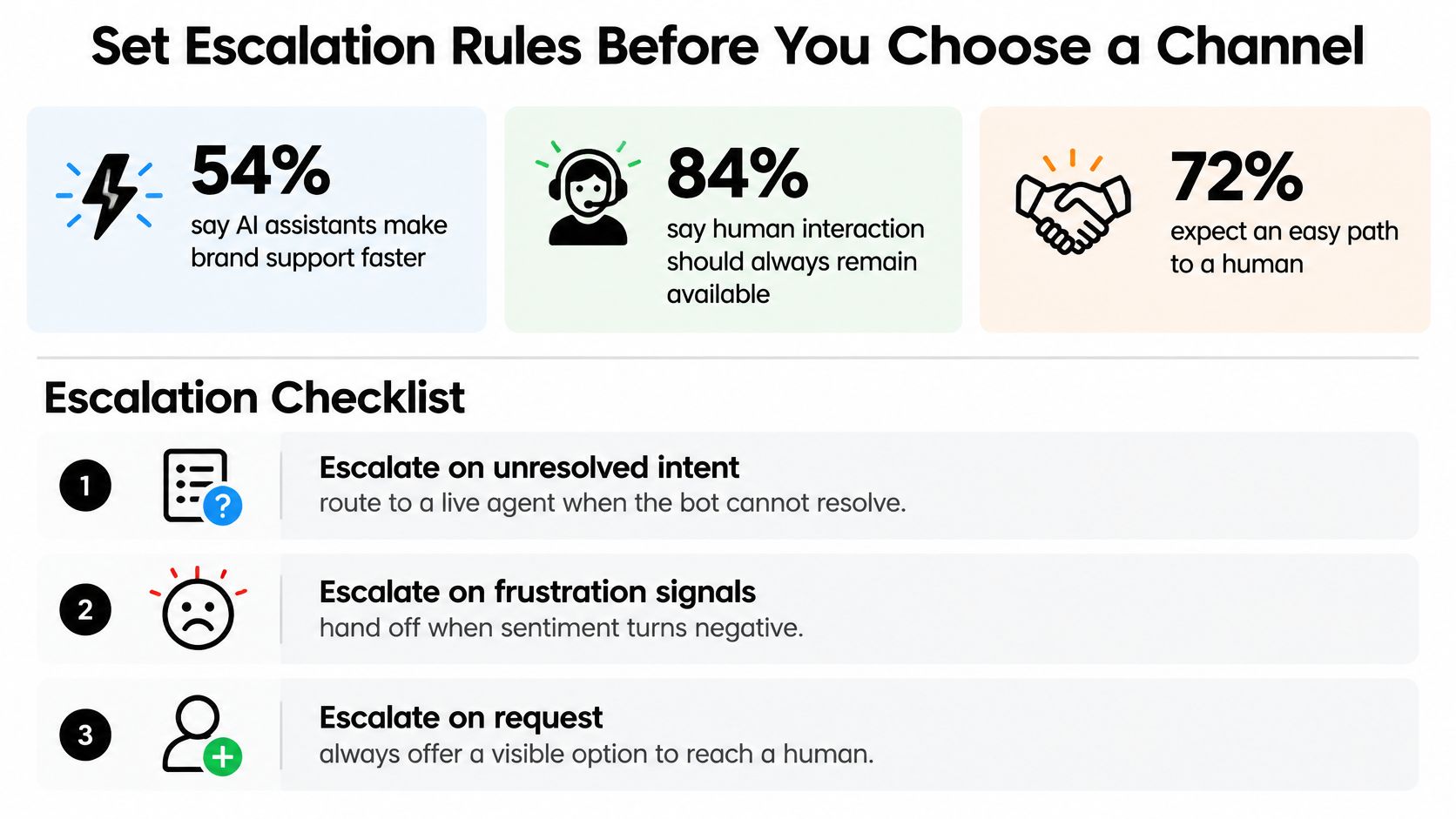
Which conversations should escalate, when should that happen, and what should the receiving agent know? Those questions matter more than choosing a channel label. 54% of consumers believe AI assistants can make brand support faster and more efficient, while 84% say human interaction should always remain available, according to a Zendesk global consumer survey.
AI-first support needs an effective human escape hatch. Availability should mean a working route to an accountable person, not merely a button that restarts the conversation.
Escalation triggers and routes
| Trigger | Example | Route |
|---|---|---|
| Negative sentiment | Customer says they are angry or repeats a complaint | Live agent with AI summary |
| Repeated failed answers | A proposed rule flags two unhelpful bot replies in a row | Live agent with full transcript |
| Refund or payment dispute | Customer asks for a charge to be reversed | Live agent with authority to approve |
| Account risk | Customer wants to cancel a paid plan | Offer a live agent before completion, without obstructing cancellation |
| Sensitive personal data | Request involves identity or health details | Live agent using an appropriate secure process |
| Urgent issue | Paying customer reports a service outage | Next available live agent, with an urgent queue flag |
The failed-answer threshold is a starting configuration, not a benchmark-derived optimum. A direct request for a person should bypass it, while urgent or sensitive cases shouldn't require failed attempts first.
Define the handoff package
SignalZen allows a human agent to take over any conversation with its full history and customer context, and the AI hands over a summary when a person is needed. The receiving team should still define what makes that summary useful: the customer's objective, facts already established, attempted fixes, and the unresolved decision.
The handoff should retain customer history and language context where available. It should distinguish confirmed information from the bot's interpretation, rather than turn an uncertain diagnosis into an apparent fact.
A documented process to escalate an issue should also identify the destination owner and the fallback when that owner is offline. Routing without acceptance leaves the customer waiting in a different queue.
Run a controlled routing trial
- List the top ten request types. Use recent conversations, including difficult cases rather than only frequent ones.
- Assign bot or human ownership. Record the permissions and evidence each category requires.
- Write the escalation triggers. Include explicit human requests, frustration, unresolved intent, and risk.
- Define the summary. Specify the facts, attempted actions, language context, and open decision.
- Measure the transfer outcome. Track handoff rate alongside confirmed resolution, repeat explanations, and time to resolution after transfer.
A lower handoff rate isn't automatically better. Appropriate transfers can indicate that the routing rules are protecting customers from an unsuitable automated answer.
The practical starting point is the free trial: after registration, the team can open the Integration page in the Console's left-side menu and configure the Live Chat widget plus a relevant team channel. Starting with Slack or Microsoft Teams keeps the initial workflow focused before additional channels are added.
SignalZen combines AI answers with human takeover, preserved conversation history, and handoff summaries for teams working in Slack, Microsoft Teams, or Google Chat. Support managers can start a free trial, configure the website widget and a team channel, and test whether their routing rules deliver completed requests rather than merely faster replies.

Better support without a bigger support team.
Start with AI. Add your team when the conversation needs a person.