
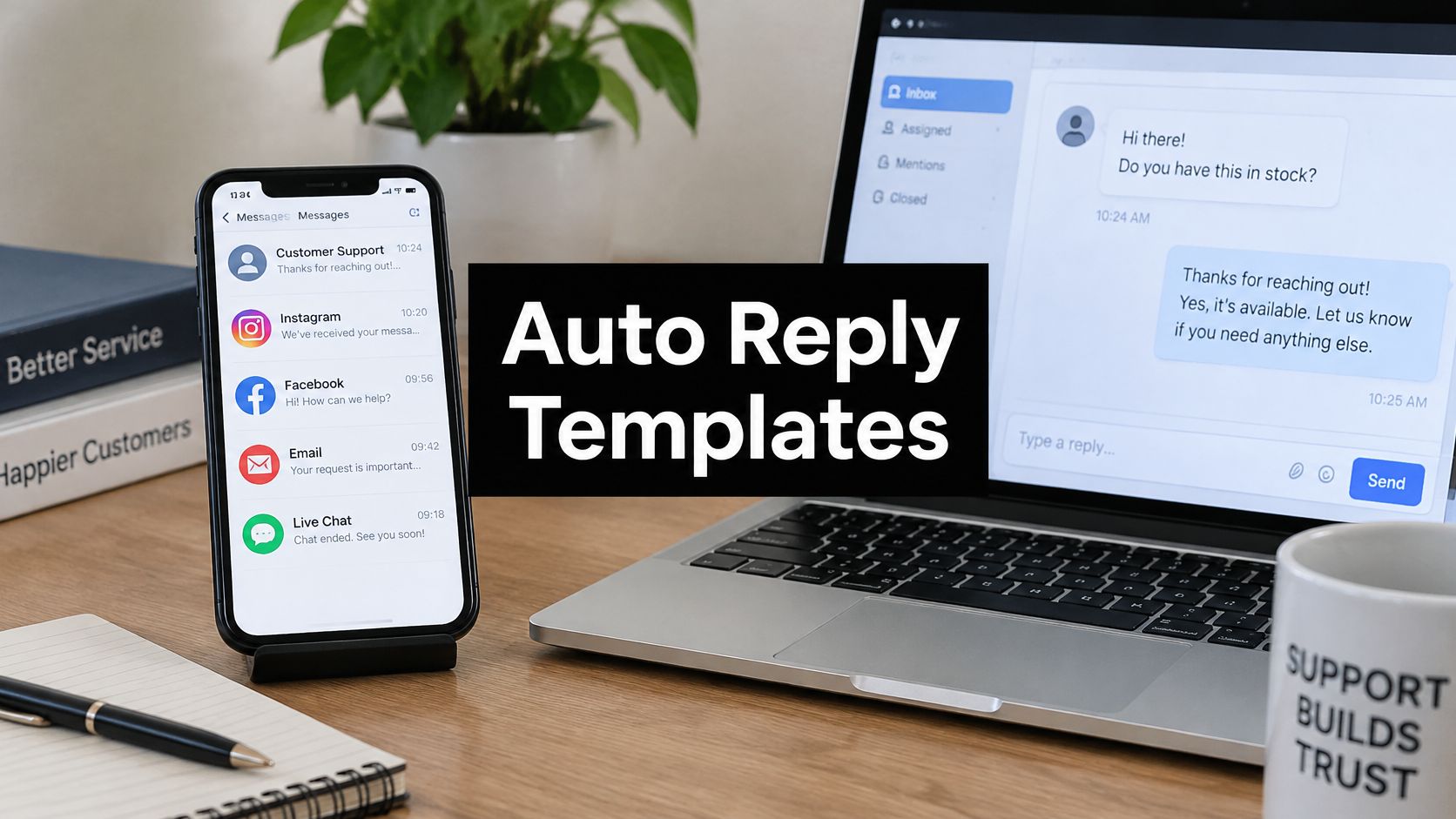
It's 9 p.m. and a customer has just explained a login problem in chat. The reply arrives instantly, but it says only that the message was received. There's no return time, no next step, and no route for an urgent issue, so the customer opens a second channel and starts again.
An auto response message shapes the whole conversation because it sets expectations before a person or an AI assistant can solve anything. The wording tells the customer whether waiting is sensible, whether self-service is worth trying, and whether repeating the problem will be necessary. Speed matters, but a fast placeholder can still fail if it's vague, sounds like a system notice, or promises help that nobody has staffed.
The eight templates below are judged on channel, timing, and tone, along with the failure mode that makes each one backfire. A useful message names the next action and a realistic window, then preserves context for whoever replies next. Teams setting up social messaging can adapt the same logic through a Messenger chatbot setup guide, while keeping the customer-facing wording specific to each channel.
Silence is also common enough to plan for. In 2025, 58% of surveyed consumers said they had received no response from a business after contacting customer service, according to PissedConsumer's Customer Service Trends report as cited by CMSWire. An instant acknowledgment closes that gap only when it leads somewhere visible.
Table of Contents
- 1. Out of Office Auto Reply
- 2. After Hours Acknowledgment
- 3. Ticket Received Confirmation
- 4. Order Status and Shipping Update
- 5. Human Handoff Notification
- 6. High Volume Queue Wait Notice
- 7. Language Detection and Multilingual Greeting
- 8. Missing Information Request
- How each auto response message fits its channel, trigger, and risk
- Choose Two Templates to Test Before Your Next Busy Week
1. Out of Office Auto Reply
Channel fit: email first, where a named person or support desk is unavailable for defined dates. Timing: the message fires as soon as mail arrives during the absence, but the substance is the return window. Tone: plain and neutral beats friendly detail about travel plans.
Say a consultant is away Tuesday through Friday. A working version reads, "Thanks for your email. This inbox returns on Monday, June 9. For urgent support, contact Sam at support@example.com. Other messages will be answered after June 9 in the order received." The backup contact needs briefing before the absence starts, not surprise referrals after it does.
Setup choices that matter
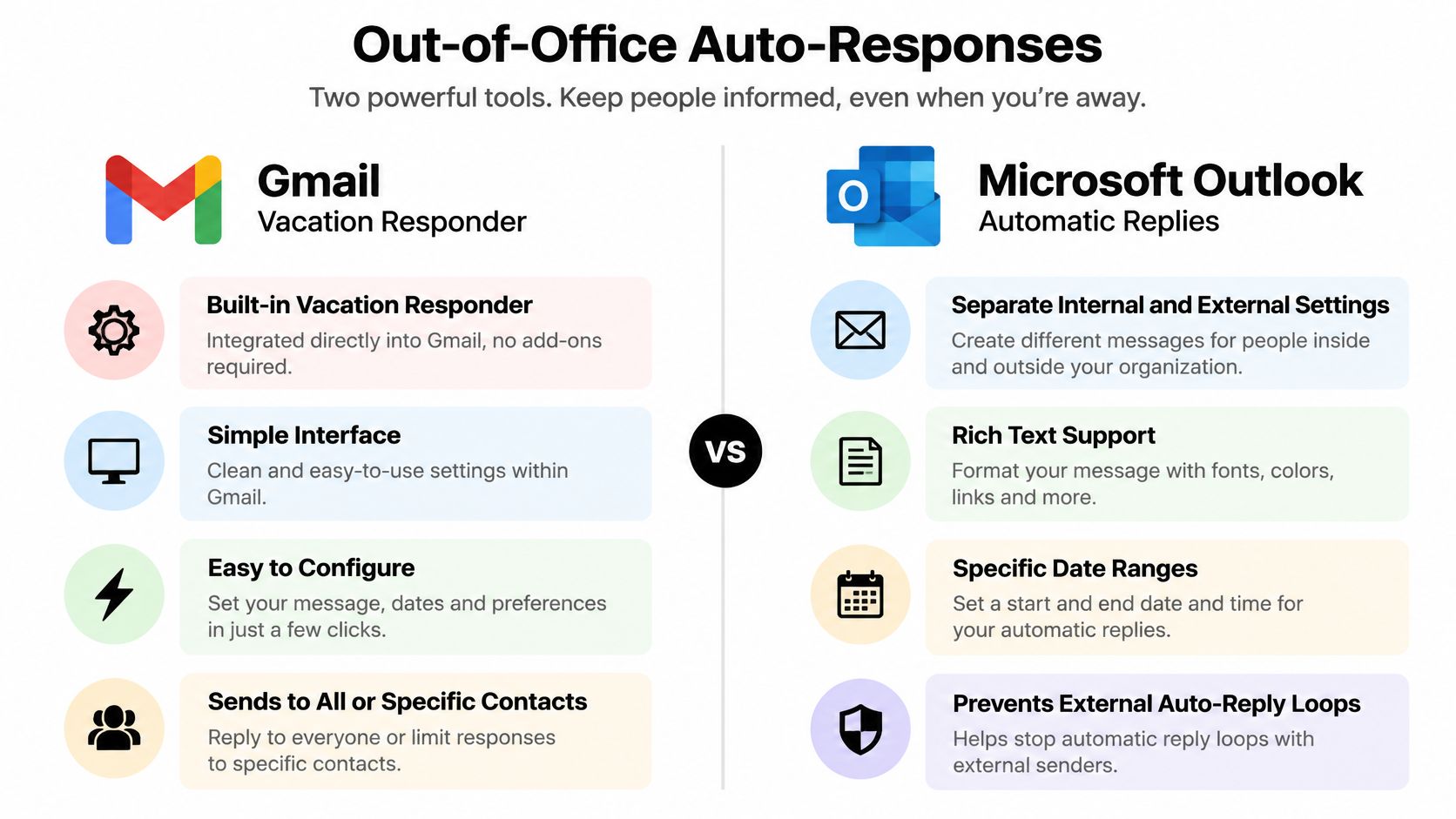
Gmail's vacation responder and Microsoft Outlook's automatic replies can handle internal and external senders differently. Outlook separates messages for people inside and outside the organization, which lets colleagues receive project owners and channel links while customers receive only dates and a backup route. That separation isn't cosmetic. External messages should stay short because they can fire back to bulk senders, scanners, and strangers as easily as to clients.
- Give a real return date: "Soon" forces senders to guess whether a follow up is rude or necessary.
- Send once per sender: repeated replies during a long absence make a normal thread feel neglected.
- Suppress bulk mail: newsletters and no-reply addresses shouldn't receive an absence notice or create loops.
The comparison below shows where those controls sit in the two common email tools.
The failure mode is a confident message with stale details. Old dates, a colleague who wasn't asked, or a dead document link turns a courtesy into extra work for everyone.
2. After Hours Acknowledgment
A shopper messages at 11:40 p.m. about a discount code that won't apply. Nobody is staffed, but the store still has a choice. It can leave silence until morning, or it can confirm receipt, state the next staffed hour, and offer the help article that covers expired codes.
Channel fit: live chat, Messenger, and email outside staffed hours. Timing: immediate, because the customer is deciding right then whether to wait. Tone: warm but bounded, without pretending an agent is present.
In 2025, about 40% of consumers expected brands to respond within five minutes of a support issue, while 70% expected a response within one hour, according to InMoment research reported by Customer Experience Dive. After hours, those expectations don't disappear. They make an exact reopening time more valuable than reassurance.

Intercom and Zendesk Messaging can show away or offline states when no agents are available. The better setup still collects the customer's question before closing the exchange. Agents then start with the order number, error, or account detail already attached instead of opening with a request to repeat it.
What to include before signing off
State the next response time with a time zone, link one relevant self-service answer, and name the urgent route if one exists. Holiday schedules need updating before the holiday, not after the first confused message arrives. If AI answers overnight, say which questions it can answer from the help center and which ones wait for staff.
Practical rule: an after hours message should reduce uncertainty, not simulate coverage that isn't there.
The failure mode is false availability. "We'll be right with you" at midnight, followed by morning silence, reads as dishonest once the customer checks the clock.
3. Ticket Received Confirmation
A ticket confirmation isn't a resolution, and it shouldn't be measured as one. It's a receipt with a reference number, a short statement of what happens next, and instructions for adding information without opening a duplicate request.
Current benchmarks distinguish that receipt from a substantive answer, and Nextiva's response time benchmarks report expectations of roughly one minute for chat, five minutes for phone, SMS, and ticket responses, and 30 minutes for email, while excluding generic acknowledgments from response-time measurement. That distinction protects reporting from wishful thinking. A team can look fast on paper while customers still wait hours for a relevant answer.
Channel fit: email forms, web forms, and chat conversations that become tickets. Timing: immediately after submission. Tone: factual and searchable, with warmth kept brief.

Zendesk ticket creation triggers can send a confirmation with a ticket ID, and Freshdesk sends automatic acknowledgment emails when a request is created. Either pattern works when the reference stays consistent across chat and email. A team using an email ticket system workflow should preserve the same identifier so a follow up lands on the original record.
- Put the ticket number in the subject: customers search by subject when they're stressed, not by sender name.
- Explain reply behavior: state that replying adds information to the same ticket.
- Summarize carefully: a wrong auto summary makes the customer correct the record before support even starts.
The failure mode is celebration without utility. A cheerful confirmation that hides the reference, gives no response window, and doesn't explain how to add context leaves the customer with proof of submission and no practical next step.
4. Order Status and Shipping Update
"Where is my order?" is a status question before it's a support conversation. The best auto response message for it doesn't ask the customer to wait for an agent to copy tracking data from another screen. It confirms the milestone, links to live tracking, and tells the customer what can still be changed.
Say a retailer moves an order from processing to shipped. The email or SMS should show the carrier status, a conservative delivery window, and self-service options for returns or address problems where they're still available. Chat should answer the same question with the same order state, not a generic promise to check.
Channel fit: email and SMS for proactive updates, chat for customer-initiated status checks. Timing: at real milestones such as confirmed, shipped, delayed, or delivered. Tone: concise and concrete, because customers scan these messages for one fact.
Shopify sends automated order confirmation and shipping notification emails, while Amazon updates customers at each shipping stage. The useful pattern isn't frequency. It's accuracy at moments when the customer's next decision changes, such as staying home for delivery or reporting a missing parcel.
Guardrails for automated updates
Conservative delivery windows beat exact dates that operations can't defend. Delay notices should arrive before the customer discovers the delay through tracking, and they should say whether action is needed. Connecting the update to ecommerce chatbot support lets a buyer ask a follow up without losing the order context.
The failure mode is notification noise around bad data. Repeated "on the way" messages, tracking links that open with no events, or return links that disappear at checkout teach customers to ignore updates and contact support anyway.
5. Human Handoff Notification
A handoff is where trust either survives or collapses. The customer has already explained the issue to an AI assistant, possibly attached files, and now hears that another participant is joining. The message needs to confirm that the context travels too.
Only 14% of customer service issues were fully resolved through self-service, rising to 36% even for issues customers considered very simple, in Gartner survey reporting cited by CMSWire and Verint's customer experience analysis. That makes escalation a normal path, not a failure to hide. Billing disputes, account access, complaints, sensitive data, and low-confidence answers should move to a person with the transcript and escalation reason attached.
Channel fit: live chat and messaging, with email follow up when the wait will be long. Timing: the moment transfer happens, not after the customer asks where the bot went. Tone: transparent about who is helping and what that person already knows.

A strong version says, "A support specialist is joining with your messages and file attached. The current wait is about ten minutes. If you close this chat, the reply will go to your email." The wait estimate and fallback matter as much as the greeting. For teams formalizing that transfer, guidance on how to escalate an issue without losing context pairs naturally with an inbox and handoff for AI agents setup that keeps ownership visible.
The failure mode is silent transfer followed by repetition. If the agent opens by asking for details already provided, the customer's conclusion is simple. The bot was a waiting room, not a useful first step.
6. High Volume Queue Wait Notice
During a launch, outage, or sale, the queue message becomes an operations notice. Customers don't need an apology tour. They need the current wait, the fastest self-service route, and a way to leave the line without losing their place in the record.
Channel fit: chat banners, contact center prompts, email acknowledgments, and status-aware support pages. Timing: as soon as the normal service window slips, then updated as conditions change. Tone: candid and operational, with no cheerful claim that every message is equally close to an answer.
Say a SaaS company ships a pricing change and billing questions spike by midmorning. A good notice leads with the billing article that explains proration, gives the current chat wait, and offers email follow up for non-urgent account changes. That ordering respects the customer who can self-serve and protects agents for exceptions.
PwC's 2025 survey shows why speed alone isn't the design goal, since only 30% of consumers said AI had improved customer service assistance while 38% said it had made the experience worse, according to PwC's customer experience survey. A fast queue message that blocks escalation can add frustration. The human path needs to remain visible for urgent, emotional, or sensitive cases.
Keep the notice current
- Update the window: stale wait estimates during a spike are worse than a wider honest range.
- Lead with one useful link: five generic links make the customer do triage work.
- Offer an exit: callback or email follow up beats indefinite waiting.
The failure mode is a static busy message. Once staffing, incident status, or queue length changes, yesterday's estimate becomes a credibility problem.
7. Language Detection and Multilingual Greeting
A multilingual greeting has two jobs that shouldn't be confused. It can detect a language, confirm that support is available in it, and route or translate the conversation. It can't, by itself, guarantee that legal, financial, medical, or culturally sensitive wording is safe.
Channel fit: live chat and email for international customers, especially where one team covers several languages. Timing: at the first reply, before the customer has invested effort in the wrong language path. Tone: short, plain, and easy to correct if detection guessed wrong.
Say a German-speaking buyer asks about a return on an English-language store. The greeting can reply in German, keep product and policy terms consistent, and offer a visible option to switch language. Letting the customer confirm the choice prevents a confident mistranslation from running through the full conversation.
Accessibility belongs in the same design pass. A 2025 academic evaluation of 106 deployed web chatbots found that more than 80% had at least one critical accessibility issue, according to the ACM chatbot accessibility evaluation. A translated message still fails if a screen reader doesn't announce it, keyboard focus gets trapped, or the link needed to continue disappears in translation.
Translation expands access. It doesn't prove that the answer is accurate, accessible, or safe for a sensitive case.
Plain sentences travel better across languages and assistive technology. Teams should keep a glossary for product names and policy terms, use locale-aware dates and time zones, and route low-confidence translations to a person. The failure mode is polished fluency with broken action. The greeting sounds local, but the button, date, or escalation path doesn't work for the customer reading it.
8. Missing Information Request
The fastest way to slow a ticket down is to accept it without the details needed to act. A missing information request fixes that by asking for a small, specific set of facts while the customer's context is still fresh.
Channel fit: email right after ticket creation, or chat at the start of a technical conversation. Timing: immediately after the initial request, before an agent spends a round trip asking routine questions. Tone: helpful and explanatory, never like an intake interrogation.
Say a software user writes, "Export doesn't work." The useful follow up asks for device type, operating system version, and an error screenshot, then explains that those items show whether the failure is local or account based. Refund requests need order number and purchase email for the same reason. Each item should earn its place.
Ask less, but ask precisely
Three or four items is the practical ceiling for one message. More than that belongs in a structured form with labels that survive copy and paste, screen readers, and mobile screens. Customers also need to know what's never required. A support message shouldn't ask for a full payment card number or a password, and it shouldn't imply that faster help depends on oversharing.
- Name the purpose: "Order number lets the team find the shipment" gets better compliance than a bare field list.
- Accept partial replies: tell customers to send what's available rather than abandoning the request.
- Reuse known data: prefill account email or device details when the system already has them.
The failure mode is a long, unexplained checklist. Customers either stall, guess, or paste sensitive information into the wrong place, and the ticket becomes harder to solve than the vague original message.
How each auto response message fits its channel, trigger, and risk
| Item | Best Channel | Trigger | Main Risk |
|---|---|---|---|
| Out-of-Office Auto-Reply | Team member or support desk is unavailable | Outdated dates or auto-reply loops | |
| After-Hours Acknowledgment | Live chat or email | Customer contacts support outside business hours | Incorrect hours or unmet expectations |
| Ticket Received Confirmation | Email, web form, or chat | A support request is submitted | Impersonal tone or mixed issue threads |
| Order Status and Shipping Update | Email or SMS | Order status changes or a customer asks for an update | Inaccurate status or delivery estimates |
| Human Handoff Notification | Live chat | AI transfers the conversation to a human agent | Vague wait times or inaccurate handoff context |
| High-Volume Queue Wait Notice | Phone or live chat | Support demand exceeds available capacity | Inaccurate wait estimates |
| Language Detection and Multilingual Greeting | Chat or email | A customer sends an initial message in another language | Translation errors or failed language detection |
| Missing Information Request | Email or chat | Required details are missing from a request | Privacy concerns or customers abandoning lengthy requests |
Choose Two Templates to Test Before Your Next Busy Week
Start with the after hours acknowledgment and the human handoff notification. Those two templates expose the most damaging gaps first, because one covers the hours when nobody is present and the other covers the moment when automation admits its limit. Together they show whether customers understand the wait, trust the next step, and continue in the same conversation.
Set exact response windows before publishing either message. The after hours version should name the next staffed time with a time zone, offer one relevant self-service link, and collect the question that agents will answer later. The handoff version should state what context the agent receives, give a realistic wait, and explain what happens if the customer leaves the chat.
Run both templates for two weeks without rewriting them midstream unless a fact becomes wrong. Review how customers reply at the end of that period. Look for repeated questions, duplicate tickets, customers rephrasing the same issue after handoff, and messages that ask whether anyone is there. Those replies reveal whether the timing and tone worked more accurately than open rates do.
Acceptance of automation depends on usefulness, not novelty. A 2022 global survey for CM.com collected responses from 7,078 adults across seven markets and found that 92% believed customer service should respond quickly, while 62% valued service designed to let them solve issues independently, according to CM.com's speed of customer service research. That pairing is the test. Be fast, and make the customer's own path clear.
SignalZen fits that model in a practical way. A business can start with AI support and add its team when a conversation needs a person. Its Help Center articles feed both AI answers and the support team in the same chat widget, while email templates use variables such as the messages list, operator name, and website name to keep email consistent with chat. Those details matter because a template that sounds right in chat shouldn't become vague when the same conversation moves to email.
Keep a short maintenance routine after launch. Update hours, holiday dates, backup contacts, delivery windows, and escalation routes whenever staffing changes. Retire seasonal wording on the day the season ends. Check translated templates whenever policy terms change, and review handoff reasons so common failures improve the knowledge base instead of repeating.
Teams that want more starting points can compare these patterns with ready-to-use auto reply templates, then keep only the versions that name a channel, a wait, and a human route. An auto response message earns its place when customers stop wondering what happened to their request. Test two, read the replies closely, and fix the wording that real conversations expose.
Put the two-template test into practice with AI answers drawn from your website, files, and help center, plus human handoff when a conversation needs a person. SignalZen keeps chat and email in the same workspace your team already uses, so after hours acknowledgments and handoff notices stay consistent across channels.


Better support without a bigger support team.
Start with AI. Add your team when the conversation needs a person.